Setting up your account
Create your organization, name it, invite your team, and complete the guided onboarding to reach your first creative fast.
Open in appGetting started with AdFactory takes only a few minutes. You'll create your organization, give it a name, complete a short guided onboarding, and invite your team — then you're ready to produce your first creative.
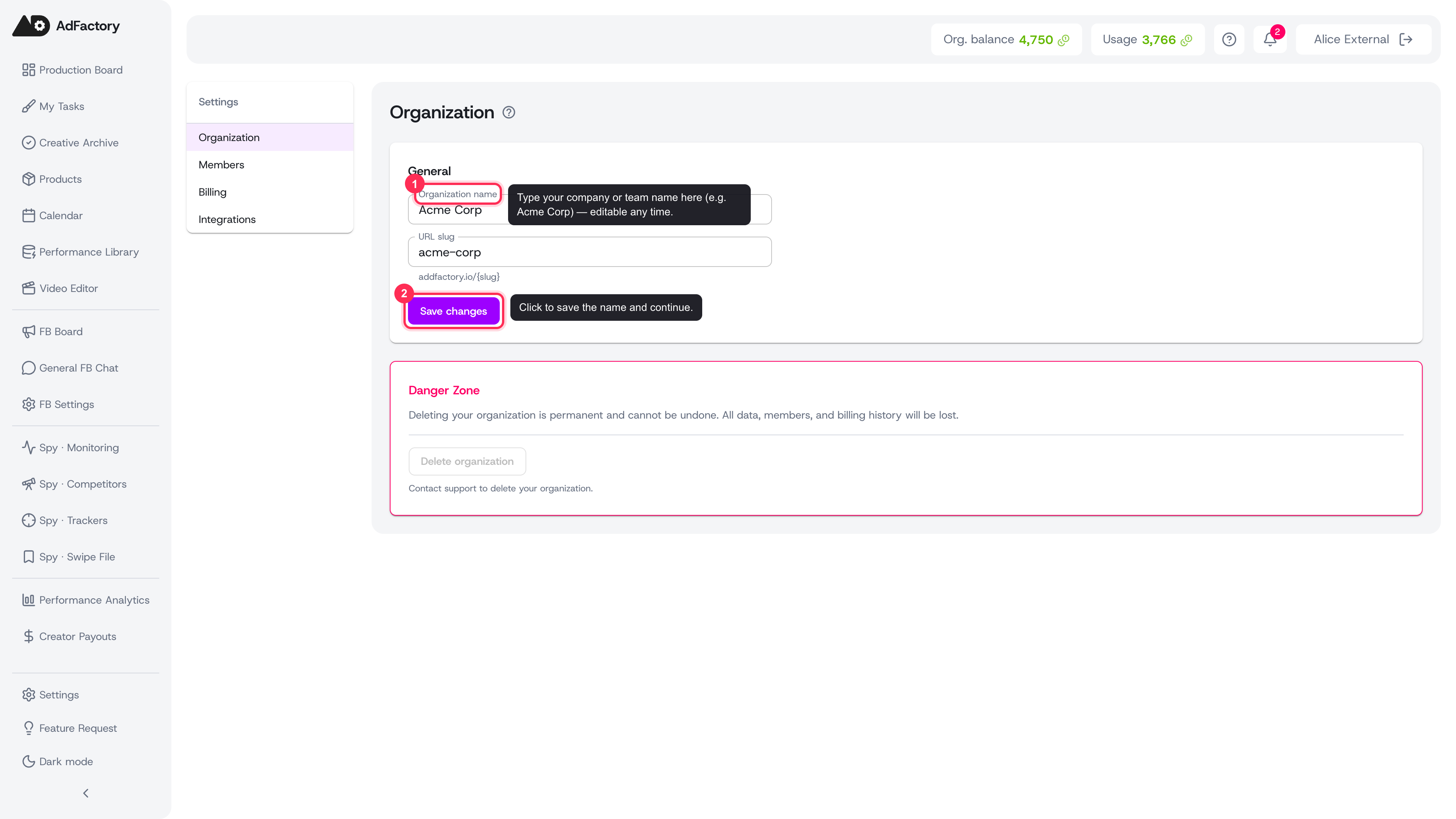 Name your organization and save it in Settings, Organization; the name is editable any time
Create and name your organization
When you first sign up, AdFactory creates an organization for you — the shared workspace where your team's products, tasks, and creatives live.
- Sign up and confirm your email.
- On the Name your organization step, enter your company or team name (for example, "Acme Corp").
- Click Continue to save it and move on.
Don't worry about getting the name perfect — you can change it any time later in organization settings.
Complete the guided onboarding
Right after naming your organization, AdFactory walks you to first value so you're not staring at an empty board:
- Guided onboarding wizard — start from your website URL and AdFactory drafts a product, suggests competitors, surfaces their winning ads, and helps you create your first task — all in a few minutes.
- Product tour — a short slide walkthrough of the main areas of the app, which you can relaunch any time from the header.
You can skip onboarding and jump straight to the task board, but running it is the fastest path to a finished creative.
Invite your team
AdFactory is built for collaboration, so the next step is bringing in your teammates.
- Open Settings → Members.
- Invite each teammate by email.
- Assign each person a role — such as Creative Strategist, AI Creator, or Video Editor — which controls what they can see and do.
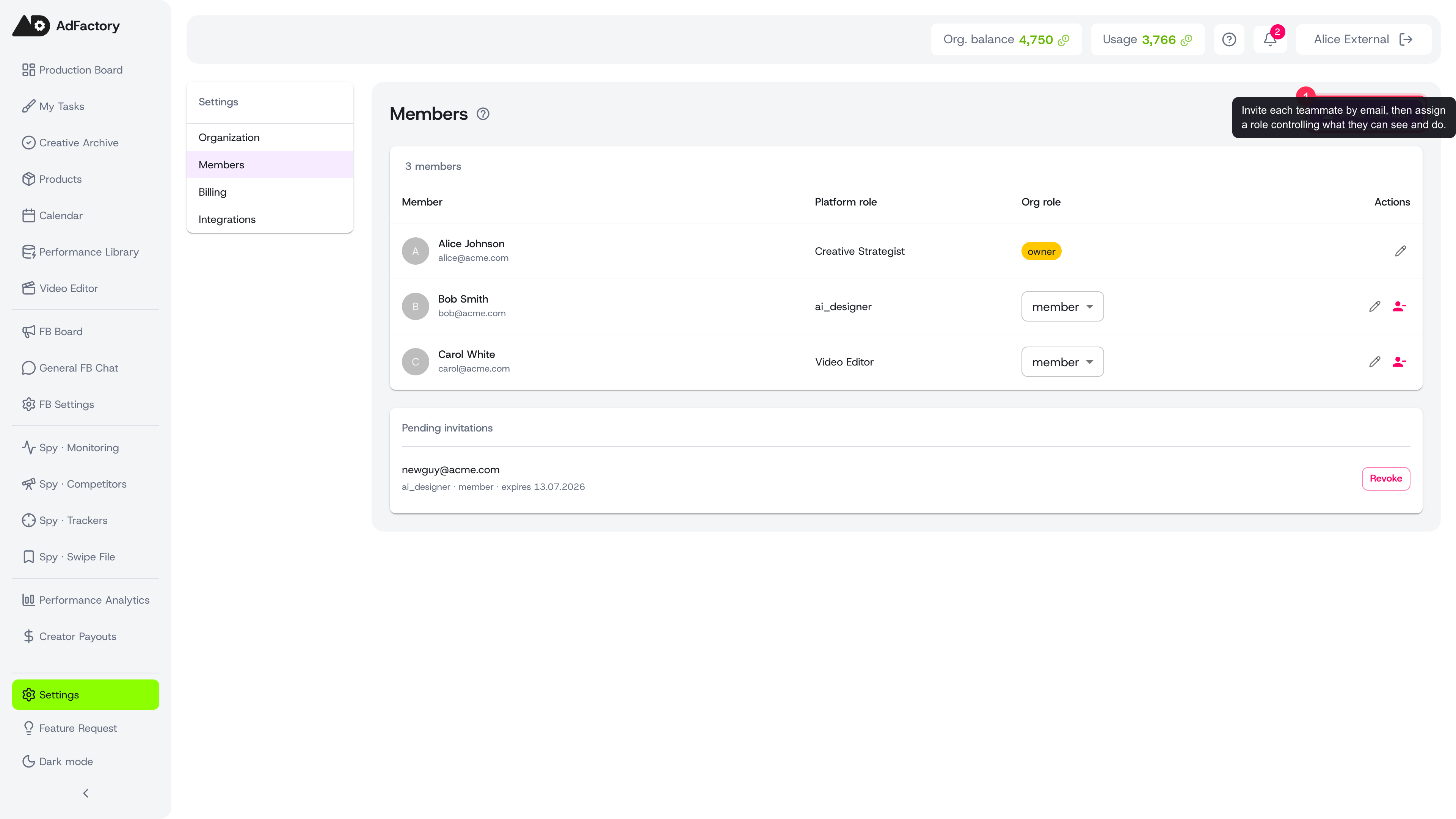 Invite teammates by email and assign roles under Settings, Members
For the full walkthrough of invitations, roles, and cost limits, see members and roles.
Set up billing when you're ready
You can explore right away, but to run AI generation at scale you'll want an active plan and credits.
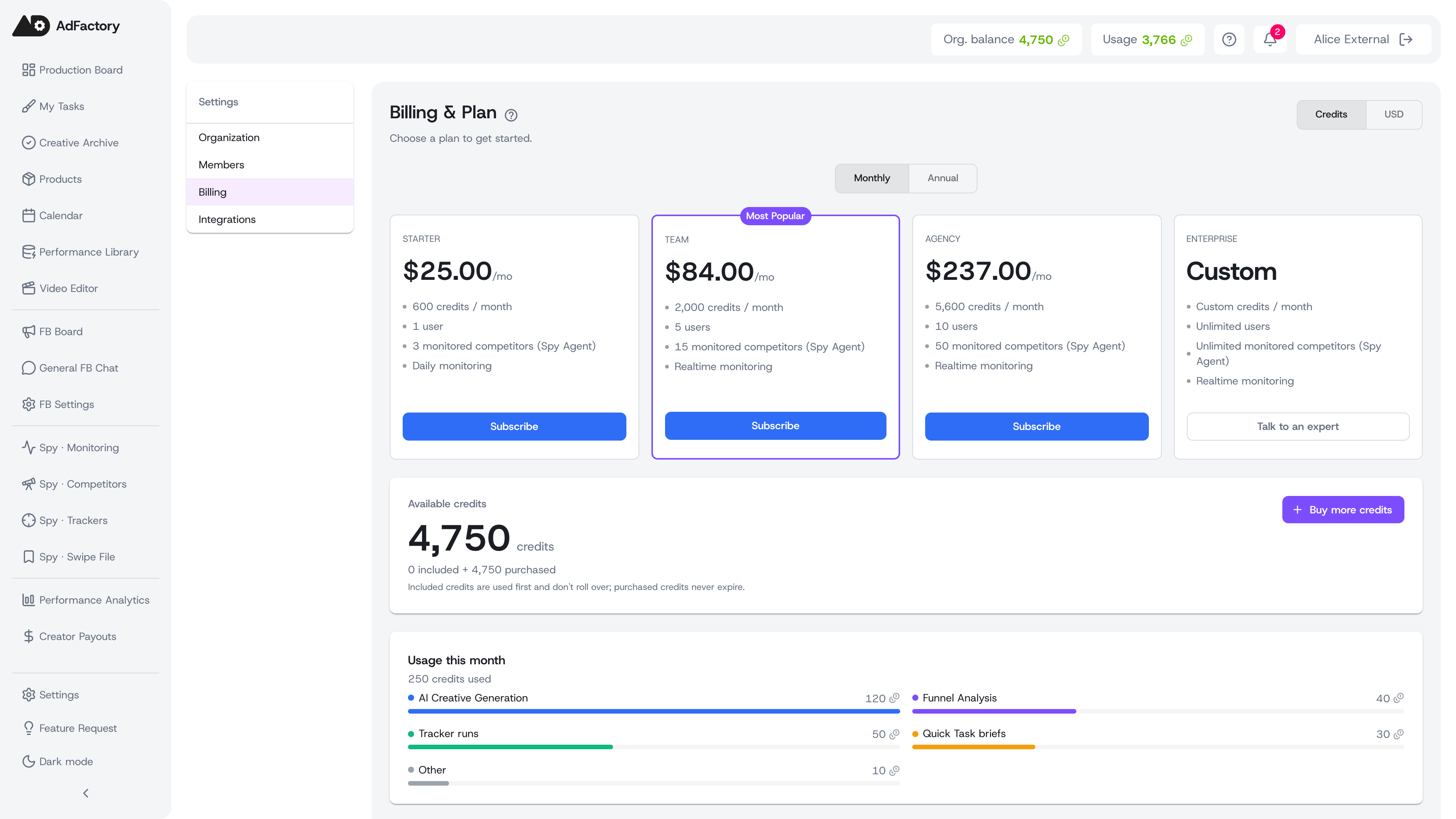 Compare plans, subscribe, and top up credits under Settings, Billing
- Compare plans and start a free trial under billing and plans.
- Top up your wallet and manage payments in credits and payments.
What to do next
- Define what you advertise in products.
- Brief your first piece of work on the task board.
- Produce it with AI generation and move it through the review pipeline.
Once your organization is named and your team is in, you have everything you need to go from idea to approved ad.