Creating a task from Spy
Turn competitor intelligence into action: open the Create Brief form with AI-prefilled details and Spy references attached.
Competitor research is only valuable when it turns into work. Creating a task from Spy takes any winning ad, hook, or landing page you find and opens a ready-to-go creative brief — with the details AI-prefilled and your references attached — so your team can start producing right away.
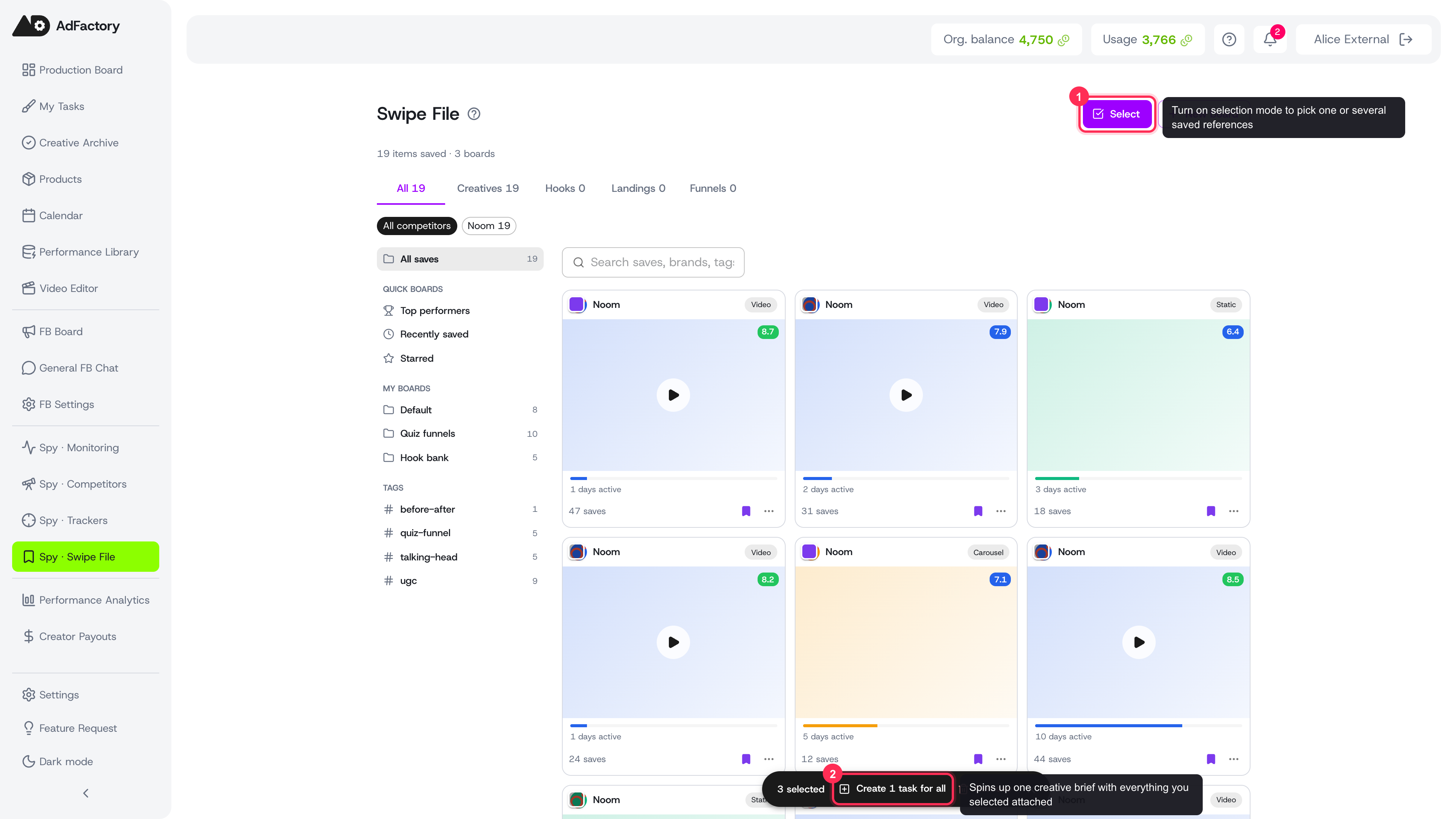 Bulk-select saved swipe-file items, then Create 1 task for all to open a ready-to-go brief
Where you can do it
You can launch the Create Brief form straight from almost anywhere in the Spy Agent:
- From a competitor's ad library or a creative detail and analysis view.
- From competitor hooks you want to model.
- From a competitor landing page.
- From your swipe file, where you can bulk-select saved items first.
Look for the "Create Task" (or "Create Brief") action on any reference. You can attach a single reference or several at once.
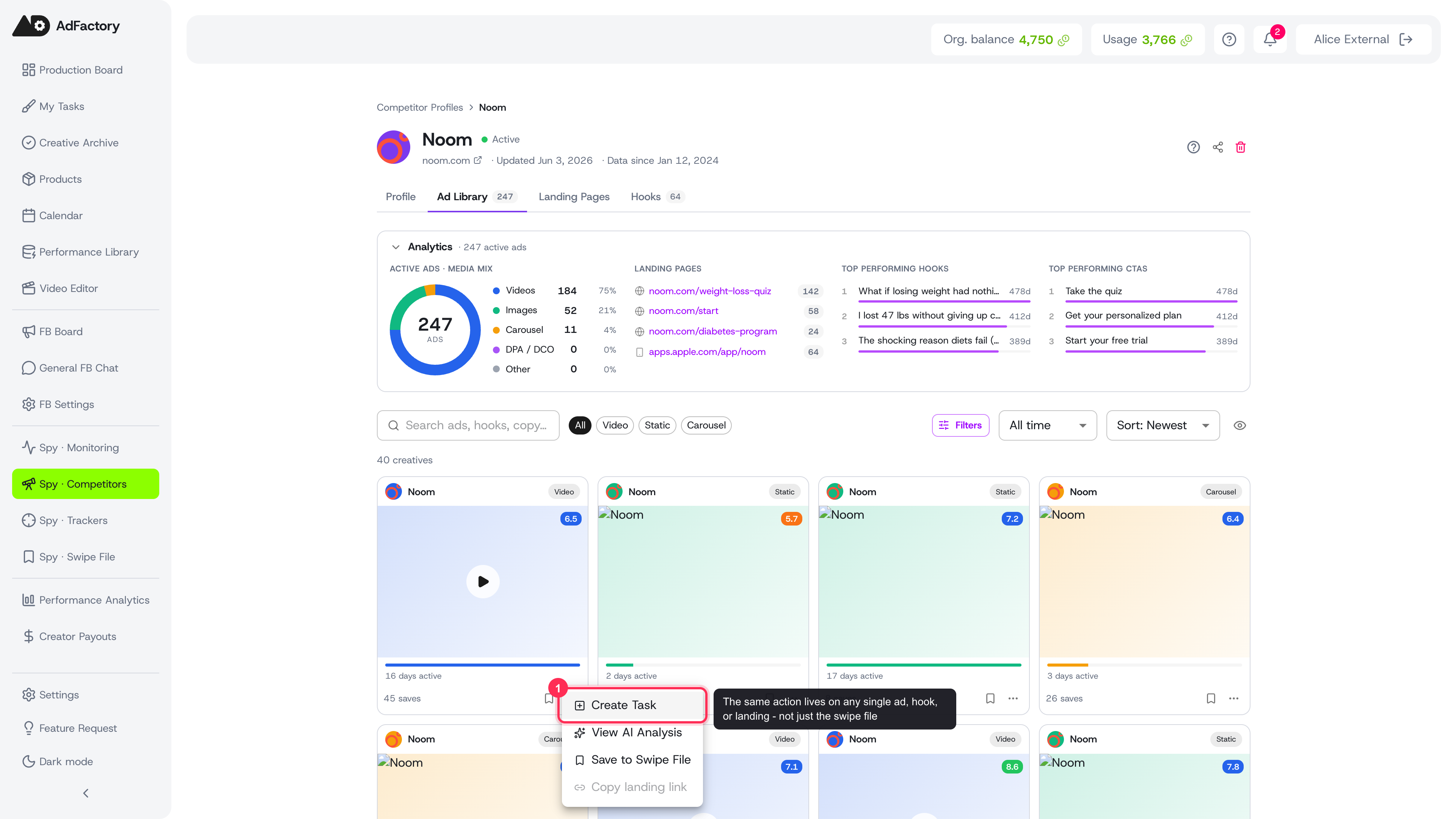 The Create Task action on a single ad in a competitor's Ad Library
What gets prefilled
When the form opens, AdFactory uses AI to draft a starting point so you're not facing a blank brief:
- Title and description are generated from the references you selected, summarizing the angle worth testing.
- Hooks are carried over from any hook references you attached.
- Reference links to the competitor creatives and landing pages are added automatically.
Everything is editable. The AI draft is a head start, not the final word — tighten it the same way you would when writing a great brief.
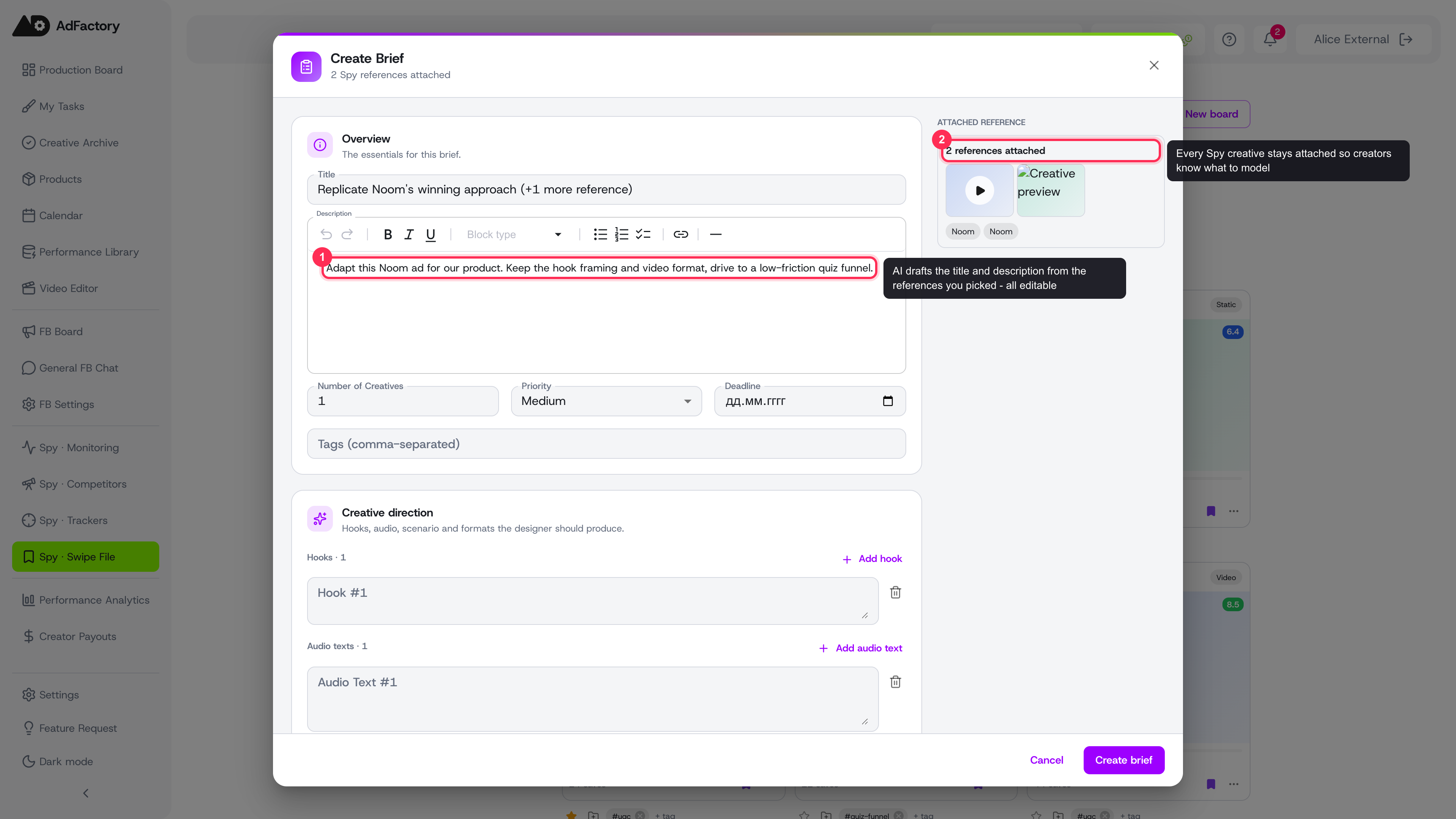 The Create Brief form opens with an AI-drafted title and description, and the attached references panel on the right
The attached references panel
Alongside the form, a side panel shows every Spy reference you brought in — competitor creatives, hook text, and landing page URLs. This keeps the source material in view while your team works, so reviewers and creators know exactly what to model. You can attach up to several reference creatives per task.
Finish the brief and create
Before you submit, fill in the rest of the task the same way you would in creating a task:
- Choose the product the creative is for.
- Set the budget, deadline, and creative formats.
- Add your hypothesis and the pain point you're targeting.
- Assign your team — a marketer, creator, and reviewer.
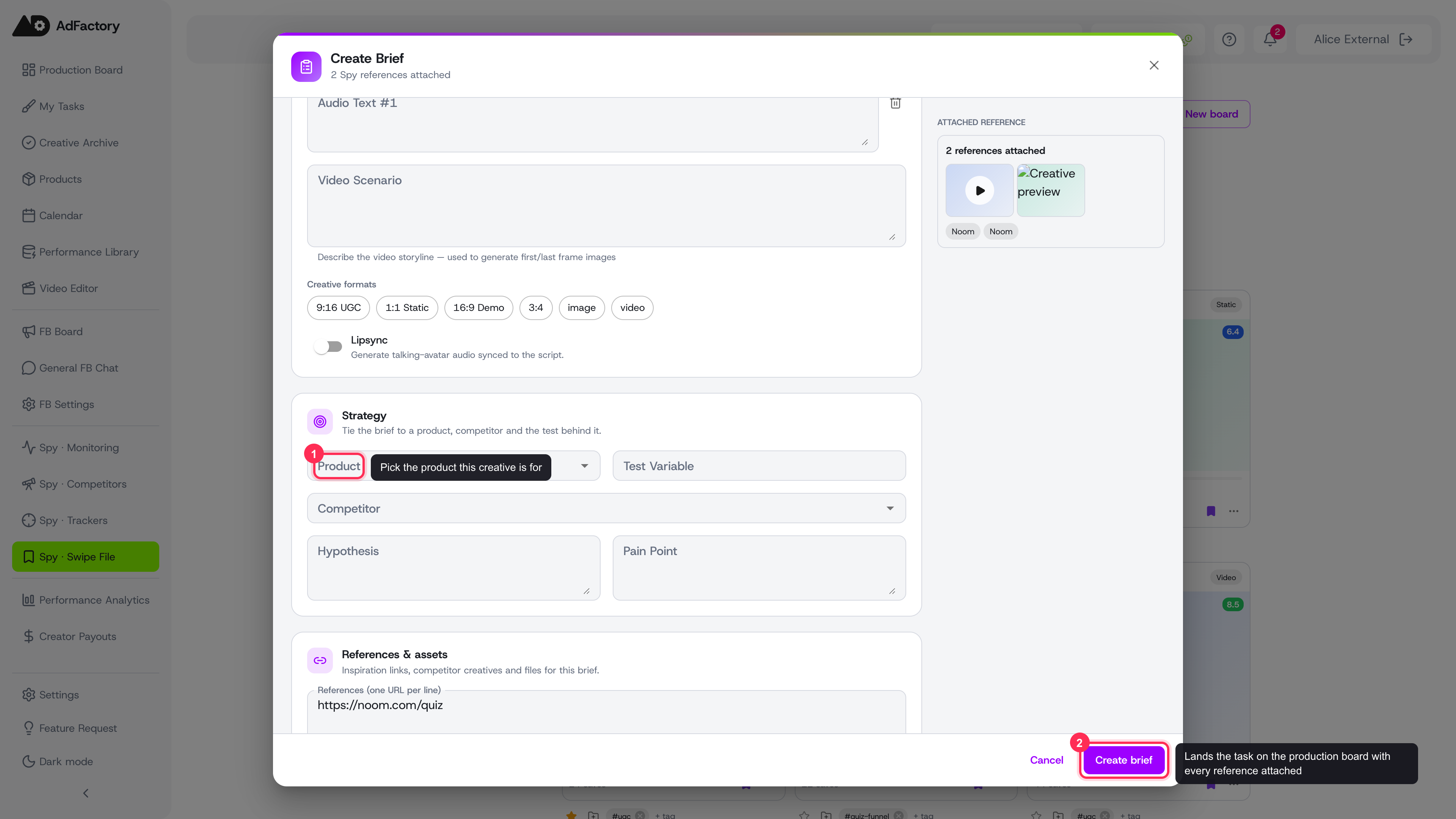 Fill in the product, hypothesis, pain point, and team in the Strategy section, then click Create brief
When you create it, the task lands on the task board at the start of the production flow, references and all. From there it moves through the normal task statuses toward an approved creative.
Tip
If you're brand new, the guided onboarding walks you from your website URL all the way to your first task created from a competitor's winning ad.