Creative review pipeline
Creatives move DRAFT → IN_PROGRESS → REVIEW → PRODUCTION → FINAL_REVIEW → APPROVED. See how review and motion work.
Every creative in AdFactory moves through a structured review pipeline, from a first draft to an approved, ready-to-run ad. The pipeline keeps production and review separate, so the right person acts at the right moment and nothing ships without sign-off.
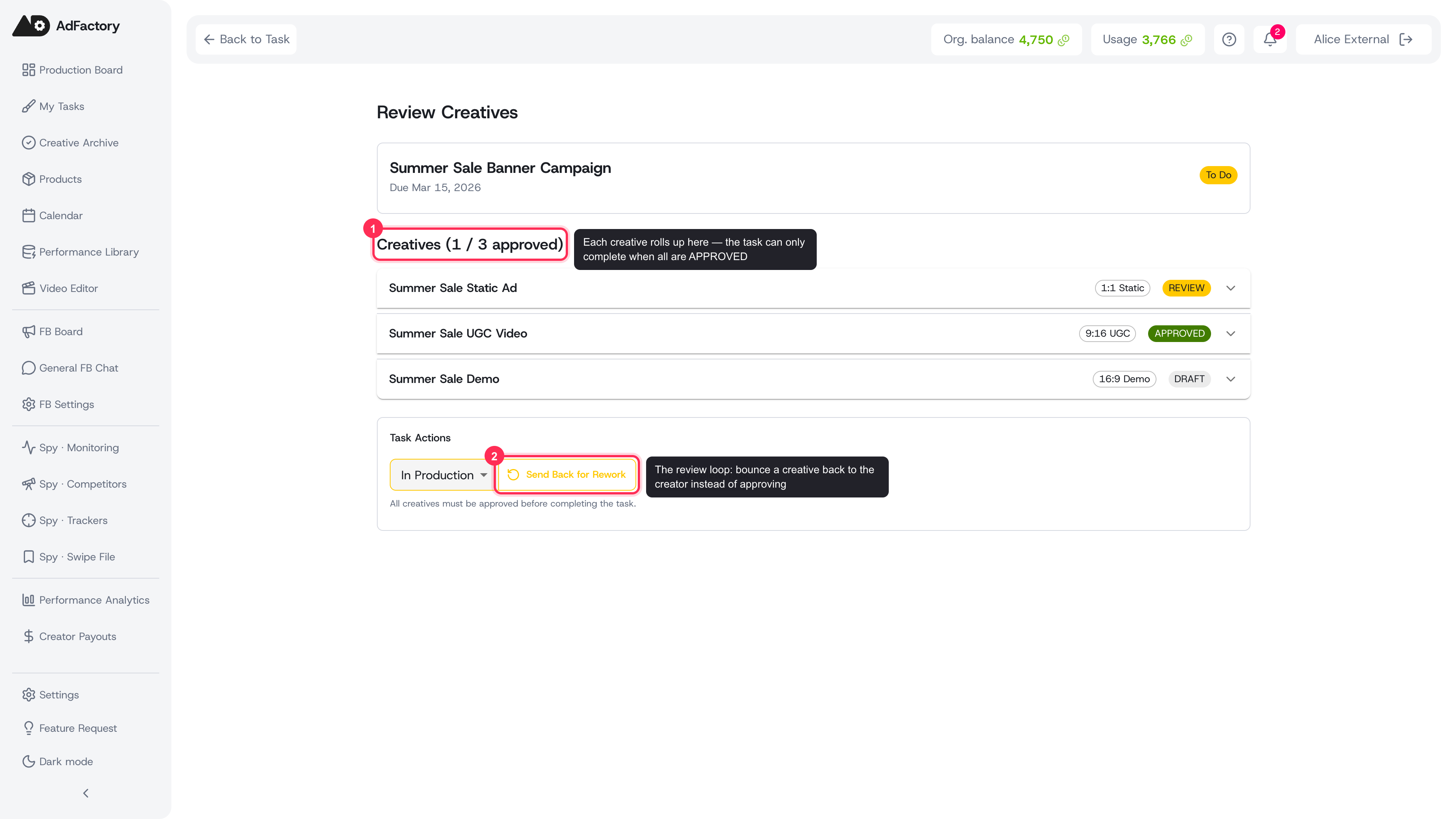 A task's creatives move through the pipeline independently, with mixed statuses rolling up to one task and the reviewer's approve or send-back controls below
The pipeline stages
A creative advances through these statuses:
DRAFT → IN_PROGRESS → REVIEW → PRODUCTION → FINAL_REVIEW → APPROVED
- DRAFT / IN_PROGRESS — the creator builds out the materials: images, video, audio, hooks, and any uploaded files. Most of this work happens with AI generation.
- REVIEW — the creator submits the materials for the reviewer to check. This is the first quality gate.
- PRODUCTION — the reviewer (your motion designer) has approved the materials and is assembling the final cut, including stitching in body clips.
- FINAL_REVIEW — the finished creative is submitted for a last approval, usually by the marketer who owns the task. Uploading the final media automatically sends it into this state — there's no separate submit step to remember, so the marketer sees it as ready the moment the file is attached. Replacing the final media re-submits it the same way, even if the creative was already approved.
- APPROVED — the creative is signed off and moves to your gallery of approved creatives.
Two phases, two people
The pipeline is built around a two-phase handoff between the team members assigned to the task:
- Creator phase — produces and iterates on the raw materials, then submits for review.
- Reviewer (motion) phase — checks the materials, assembles the final, and uploads it — which automatically sends it to final review.
Each creative shows a stepper that guides whoever is working on it through exactly the steps for their role, so it's always clear what to do next.
When something needs work
Review isn't one-way. A reviewer can send a creative back instead of approving it:
- Request changes — files a structured change request and moves the creative to CHANGES_REQUESTED so the creator knows precisely what to fix. The creative re-enters production once the notes are addressed.
- Reject — marks the creative REJECTED with a reason when it shouldn't continue.
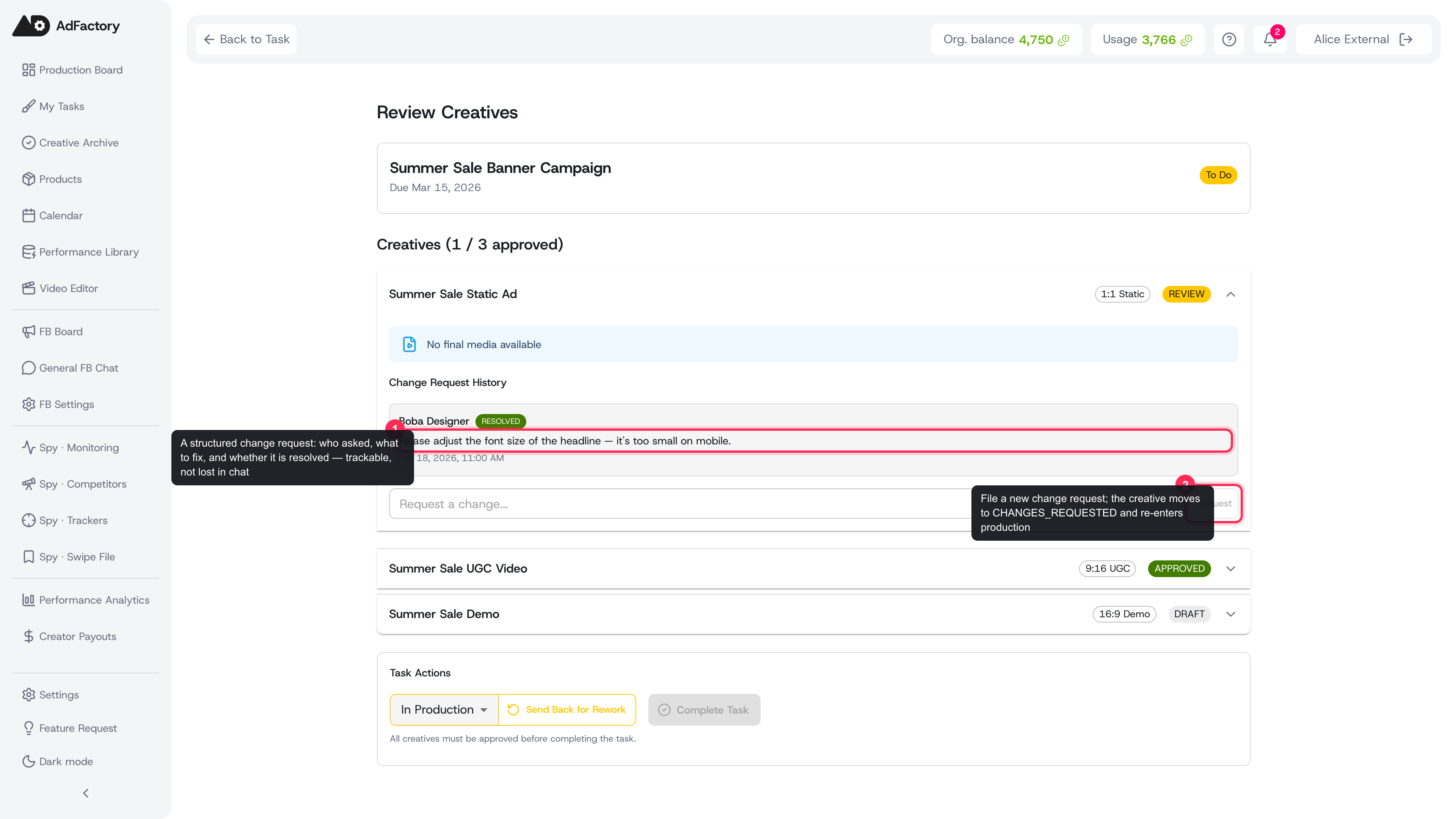 Expanding a creative shows its change-request history and a composer for filing new, trackable notes
Sending a creative back is a confirmed action, so it never happens by accident:
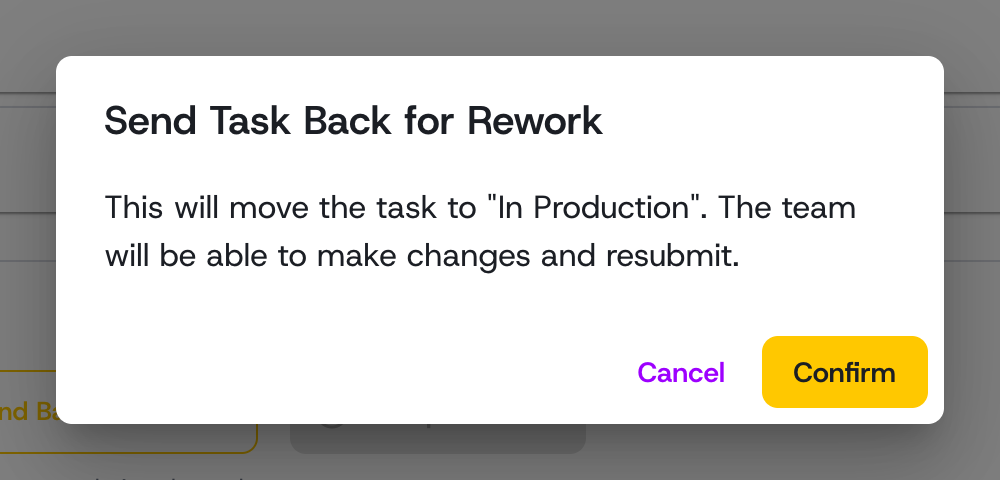 Confirming Send Back for Rework moves the creative to In Production so the team can revise and resubmit
This loop can repeat as many times as needed until the work is right.
How it relates to the task
A creative's progress rolls up to its parent task on the task board. As creatives move through REVIEW, PRODUCTION, and FINAL_REVIEW, the task advances through its matching statuses, giving everyone a shared view of where things stand.
Tips
- Use comments to discuss feedback in context, and change requests for the concrete, trackable to-dos.
- Submit only when materials are genuinely complete — clean handoffs keep the pipeline fast.
- Once approved, find every winner in one place under approved creatives.