Adding a competitor
Use the 3-step AI wizard to add a competitor by name or URL and generate an AI-drafted profile.
Open in appAdding a competitor is the first step in the Spy Agent. A quick AI wizard turns a name or URL into a fully drafted competitor profile, so you can start studying their ads, hooks, and landing pages in minutes.
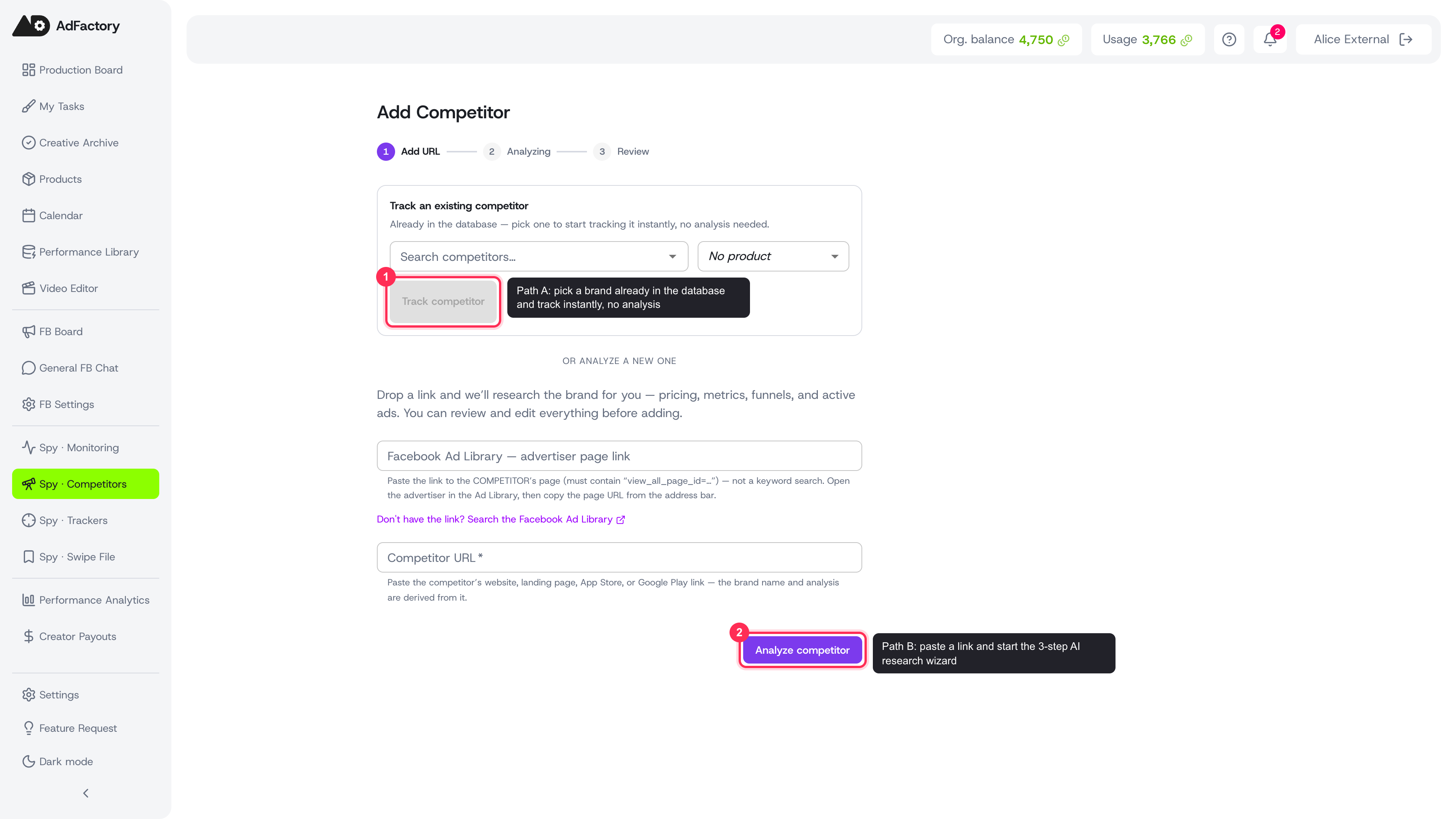 The Add Competitor screen with both paths: track an existing brand or paste a link to analyze a new one
Two ways to add a competitor
When you open Add Competitor, you'll see two paths:
- Track an existing competitor. Many brands are already in AdFactory's global ad-intelligence database. Start typing a brand name, pick a match, and click Track competitor — no analysis needed, you start tracking instantly.
- Analyze a new one. If the brand isn't in the database yet, paste a link and let AI research it for you. This runs the 3-step wizard below.
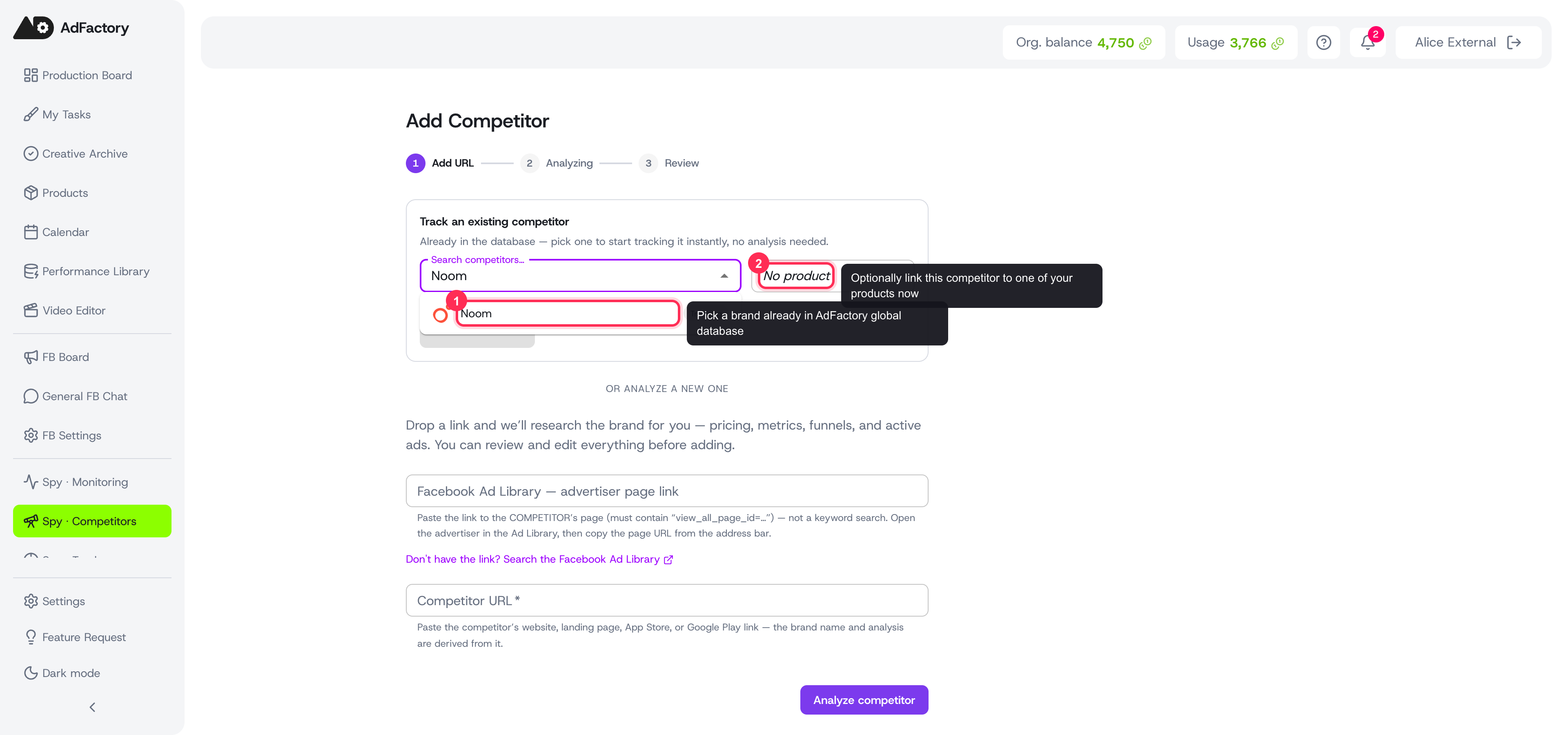 Start typing a brand name to find competitors already in the database, then track them in one click
The 3-step analysis wizard
Step 1 — Add the link
Give the wizard something to research:
- Facebook Ad Library page link — paste the advertiser's page URL (the one containing
view_all_page_id=…), not a keyword search. This is the primary source for finding their active ads. If you don't have it, use the link to open and search the Facebook Ad Library. - Competitor URL — the brand's website, landing page, App Store, or Google Play link. The name and analysis are derived from this.
You can optionally link the competitor to one of your products now or later. Click Analyze competitor to continue.
Step 2 — Analyzing
AI researches the brand for you: it identifies the brand, detects its type, extracts categories, pulls metrics, crawls pricing pages, detects funnels, and counts active ads. You can watch the progress, or choose Continue in background and come back when it's done.
Step 3 — Review and add
Everything AI detected lands in an editable form. Review and adjust any field before saving:
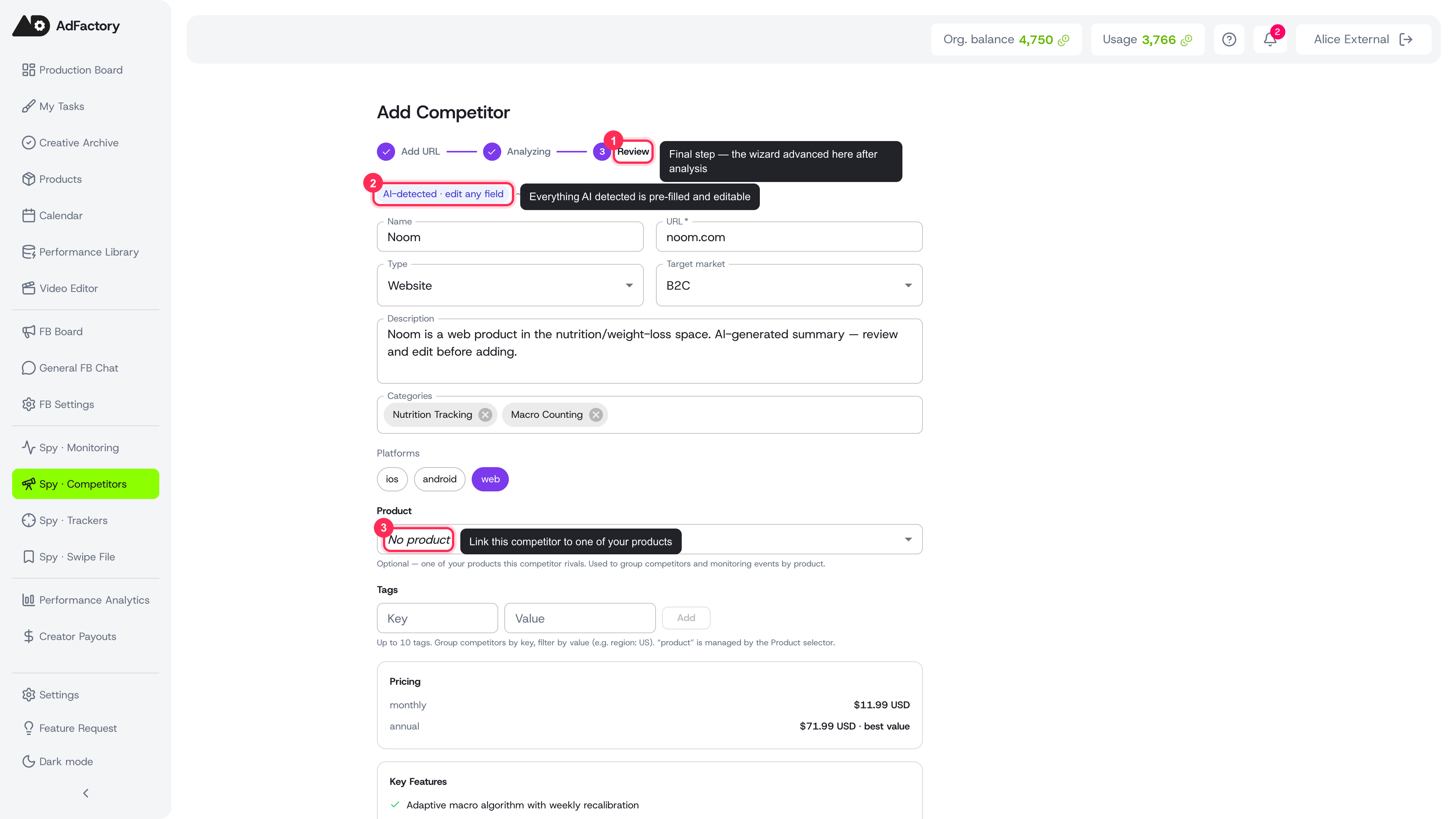 The Step 3 review form: AI fills in name, type, target market, categories, pricing and more — review and edit, then Add Competitor
- Name, URL, type, and target market (B2C or B2B)
- Description, categories, and platforms (iOS, Android, web)
- Link to product — connect this competitor to one of your products
- AI-detected pricing, key features, and (for mobile apps) metrics for context
Click Add Competitor to save. You'll land on the new competitor profile, ready to explore.
What happens next
Once a competitor is added, head to their profile to browse the ad library, study their hooks, and review their landing pages. Save the best ideas to your swipe file, then turn them into a task for your team.
New to AdFactory? The guided onboarding suggests competitors automatically, straight from your website URL.