Billing and plans
Compare plans, start a free trial, subscribe, and upgrade or downgrade with clear, prorated changes.
Open in appYour plan sets how many credits, users, and monitored competitors your organization gets each month. The Billing & Plan page is where you compare plans, start a free trial, subscribe, and switch tiers — all with clear, prorated changes. You'll find it under organization settings.
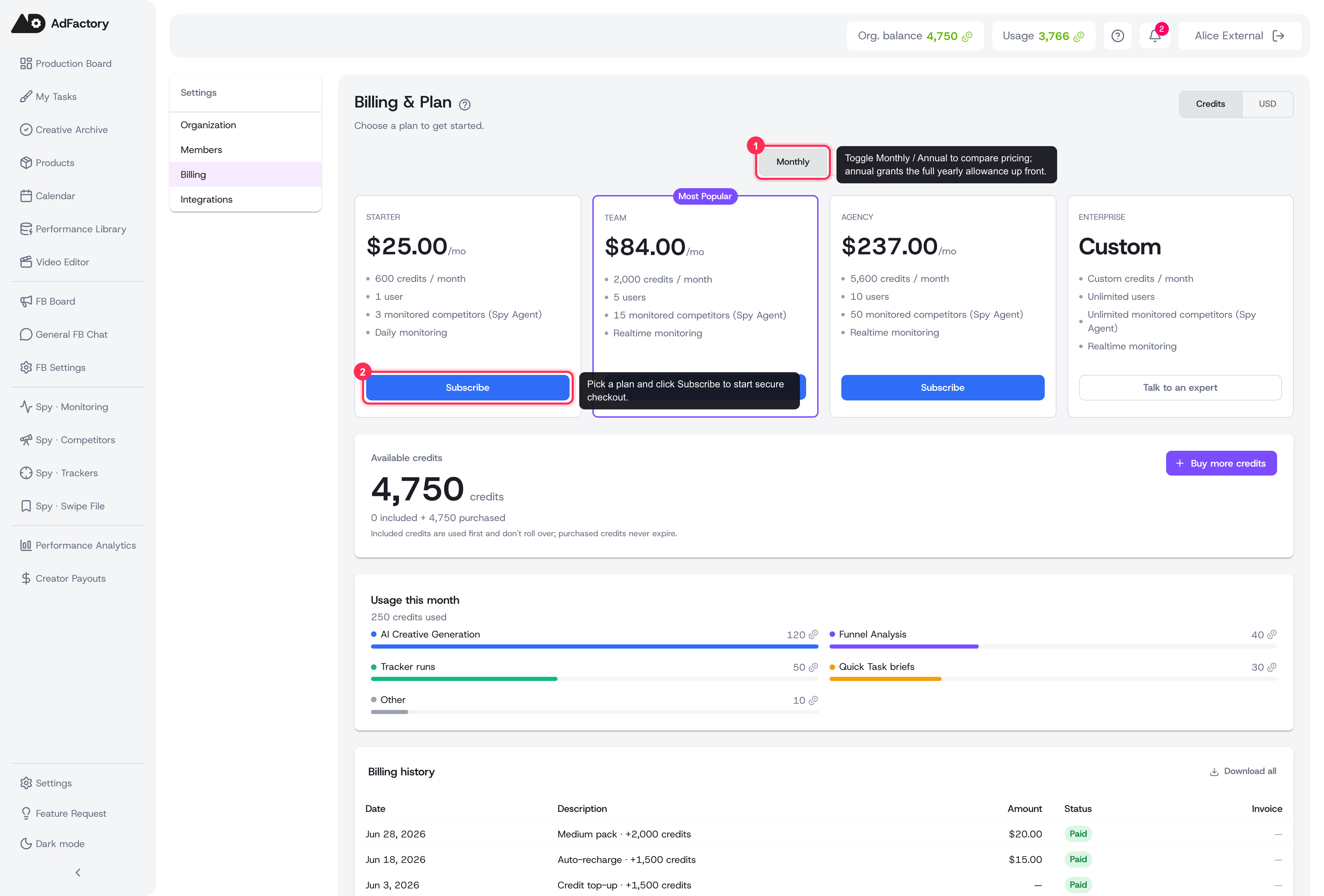 The Billing & Plan page: compare tiers, toggle Monthly / Annual, and subscribe
Who can manage billing
Only the organization owner or an admin can subscribe, change plans, or update payment details. Other members can see usage but not make changes. For more on permissions, see members and roles.
Choosing a plan
When you don't have an active subscription yet, the page shows a plan catalog. Each card lists the essentials:
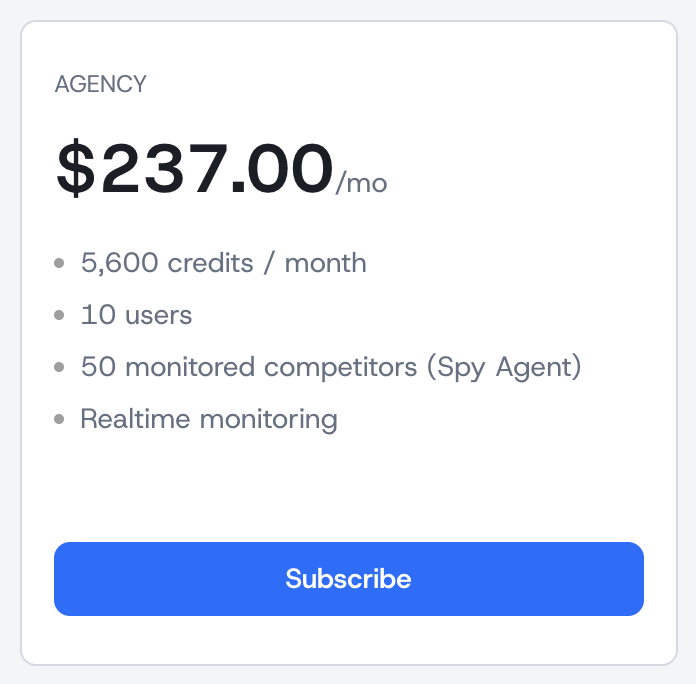 A single plan card showing credits, seats, and competitor limits
- Credits per month — your AI generation and research allowance. See how credits work in credits, top-ups, and payments.
- Users included — how many seats your team gets.
- Monitored competitors — your future quota for Spy Agent monitoring.
- Monitoring cadence — daily or realtime.
If annual billing is available, a Monthly / Annual toggle lets you compare. Annual plans grant your full yearly allowance up front and often come with a discount. Enterprise plans show a Talk to an expert link instead of a price.
Starting a free trial
If a plan offers a trial, you'll see an or start a free trial link beneath the Subscribe button. Trials are available once per organization. You add a card to begin, but you won't be charged until the trial ends — subscribe before then to keep your plan's features and allowance.
Subscribing
- Pick a plan and click Subscribe (or Subscribe annually).
- Enter your payment details in the secure checkout.
- Wait a moment while the payment is confirmed — your plan and credits appear automatically once it settles.
After subscribing, your plan card shows your status, price, next charge date, and live meters for users, credits, and monitored competitors.
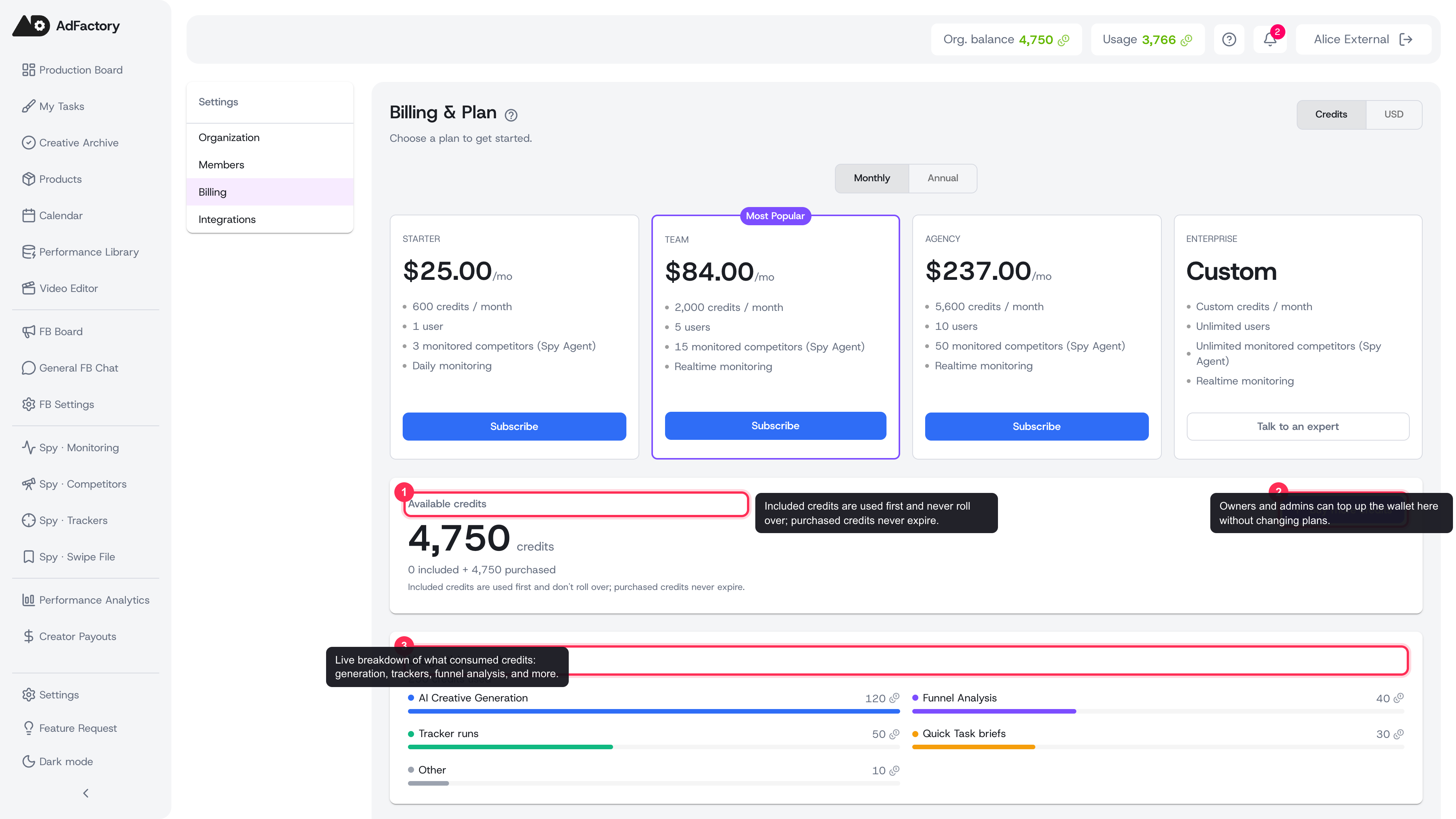 Your credit wallet and this month's usage breakdown, with the Buy more credits action
Upgrading and downgrading
You can switch plans anytime from the plan switcher:
- Upgrades apply immediately and are prorated — you pay the difference for the rest of the period and your higher allowance becomes available once payment confirms.
- Downgrades take effect at your next renewal. If your current usage exceeds the lower plan's limits, reduce usage first or the downgrade is rejected.
Purchased credits are never affected by plan changes.
Canceling
Cancel anytime from Manage billing or the Cancel subscription button. Your plan stays active until the end of the current period, and any purchased credits remain spendable afterward.
Invoices and payment methods
Owners and admins can view billing history, download invoice PDFs, update the card on file, and open the secure billing portal — all from the same page. For wallet top-ups and auto-recharge, see credits, top-ups, and payments.