Organization settings
Manage your organization’s name and core settings from one place.
Open in appYour organization is the workspace that holds your team, your products, your creatives, and your billing. Organization settings is where you manage its name and core details from one place.
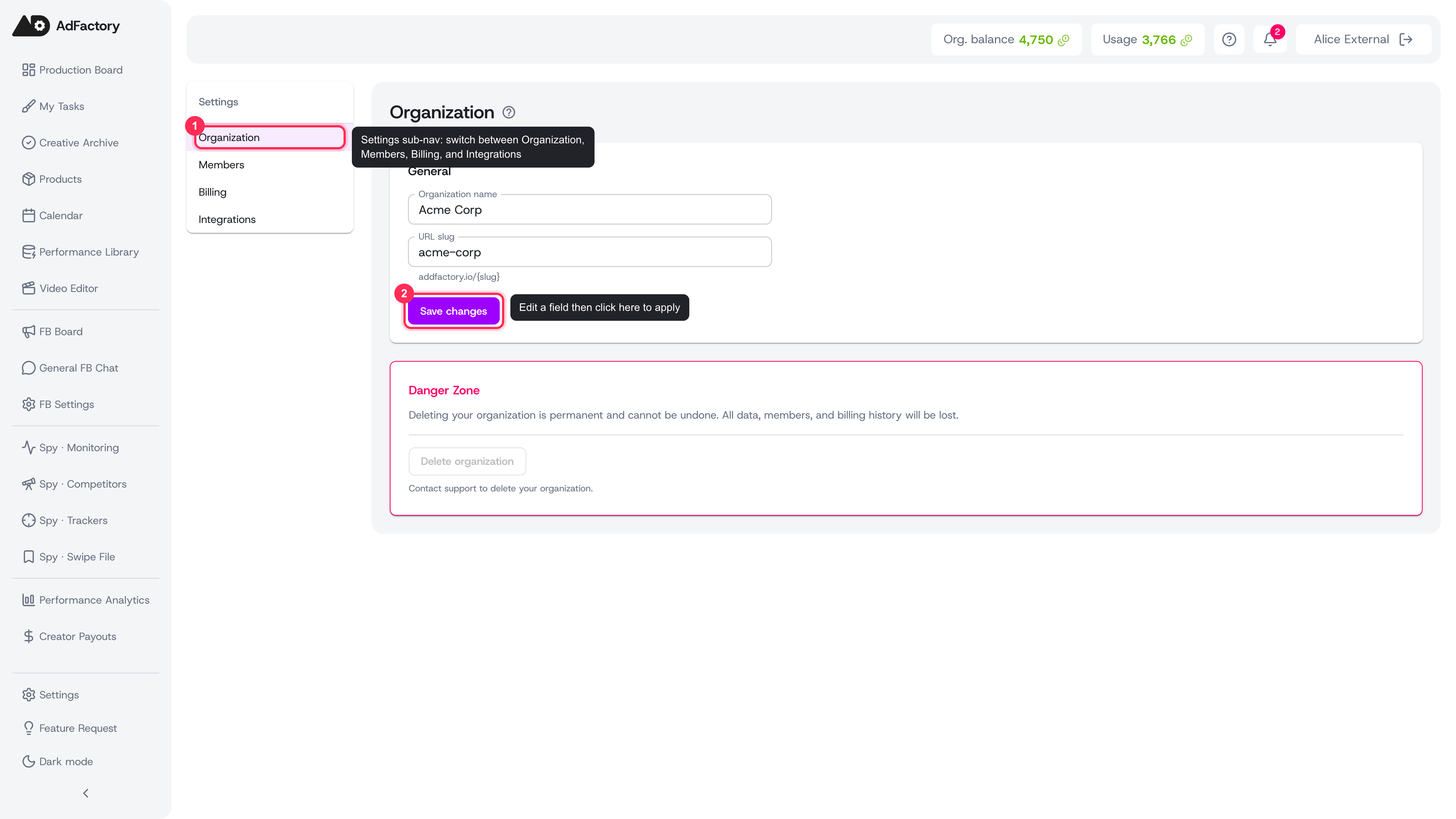 The Organization tab with the settings sub-nav, editable name and URL slug fields, and the Save changes button
Where to find it
Open Settings and go to the Organization tab. Settings also has tabs for Members, Billing, and Integrations, so everything about your account lives side by side.
General settings
The General section holds your organization's identity:
- Organization name — the display name your team sees across AdFactory. This is the name you chose during account setup.
- URL slug — the short identifier used in your workspace URL (for example
addfactory.io/your-slug).
Edit a field and choose Save changes. You'll see a confirmation when the update is applied, and the new name appears throughout the app right away.
Who can make changes
Editing organization details is reserved for the organization owner. If you're a member with another role, you'll see the current settings but the fields will be read-only. To learn how roles shape what each person can do, see members and roles and user roles and permissions.
Danger zone
Owners also see a Danger Zone for permanent actions. Deleting an organization removes all of its data, members, and billing history and cannot be undone, so this action is handled through support rather than a single click. Reach out to the AdFactory team if you ever need to close your workspace.
 The Danger Zone: the Delete organization button is disabled by design, so deletion is handled through AdFactory support
Related settings
Organization settings covers your workspace identity. The rest of your account is managed in nearby tabs:
- Members and roles — invite teammates, assign roles, and set cost limits.
- Billing and plans — compare plans, start a trial, and change your subscription.
- Credits and payments — top up your wallet and access invoices.
Tips
- Pick a clear organization name your whole team will recognize — it shows up everywhere in the app.
- New to AdFactory? Start with setting up your account to get your workspace and team in place.