Competitor hooks
Find winning hooks, filter by type, and rank by AI score, number of ads, or days active. Pin the ones worth modeling.
The Hooks tab on a competitor's profile collects the opening lines that grab attention across their ads, scored and ranked by AI. It's the fastest way to see which angles are working for a competitor right now — and to capture the ones worth modeling in your own creatives.
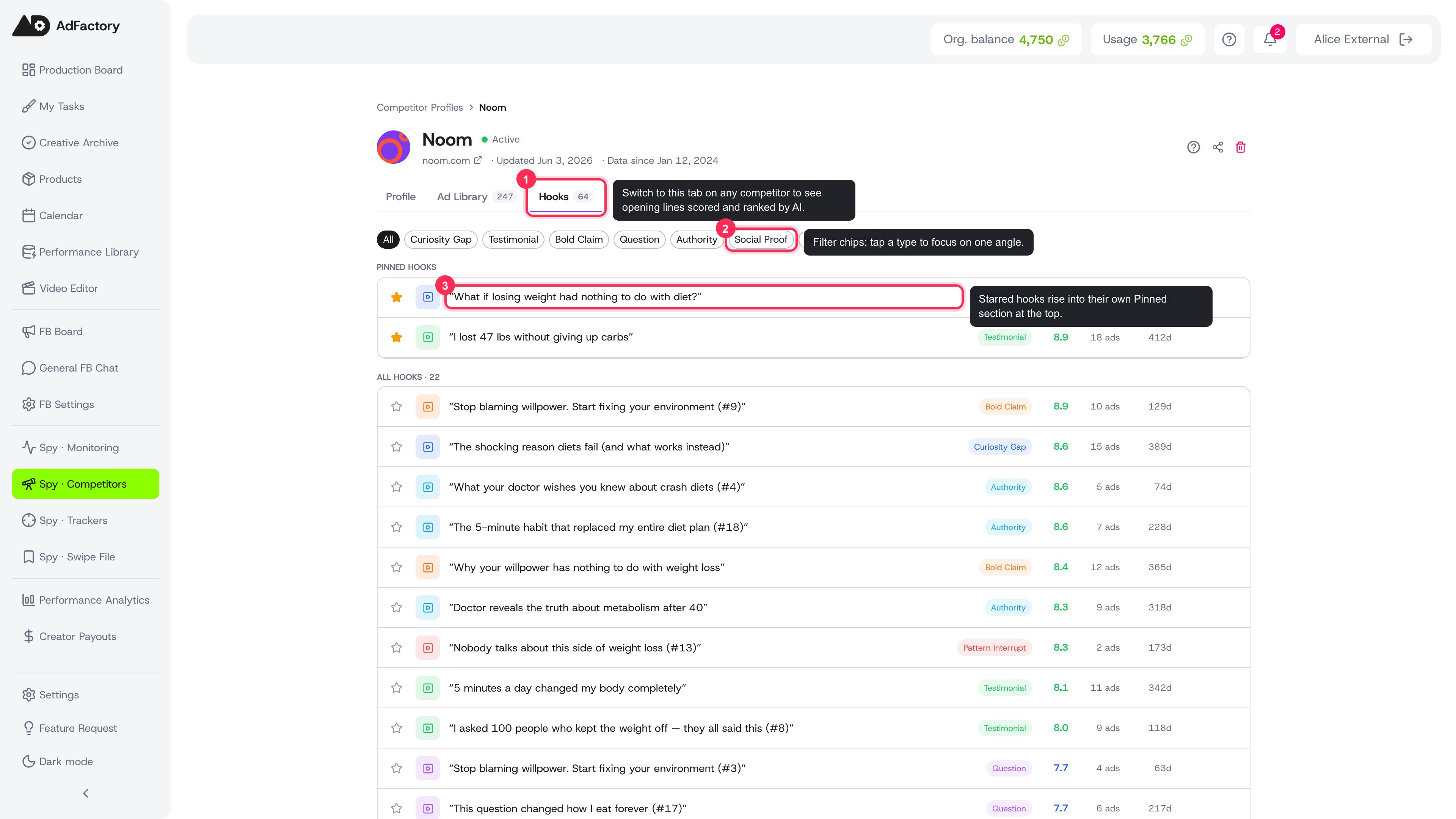 The Hooks tab collects a competitor's opening lines, ranked by AI score, with type-filter chips and a pinned section
Where to find it
Open any competitor from the Spy Agent and switch to the Hooks tab on their profile. Each hook appears as a row with its full text, type, AI score, the number of ads using it, and how many days it has been running.
Reading a hook row
Every row gives you a quick read on a hook's strength:
 A single hook row read left to right: (1) hook text, (2) type, (3) AI score, (4) ad count, (5) days active
- Hook text — the actual opening line, shown in quotes.
- Type — the angle it uses, such as Curiosity Gap, Testimonial, Bold Claim, Question, Authority, Social Proof, or Pattern Interrupt.
- AI score — a 0–10 rating of how strong the hook is, color-coded so high performers stand out.
- Ads — how many of the competitor's creatives use this hook. More ads usually means more confidence in the angle.
- Days active — how long it has been in rotation. Longevity is a strong signal that a hook is converting.
Filter and rank
To narrow in on what matters:
- Filter by type with the chips at the top to focus on a single angle — for example, only Question or Social Proof hooks.
- Scan by score — hooks are ranked by AI score, so the strongest ideas surface first.
- Watch days active and ad count to separate proven, long-running hooks from quick experiments.
The list loads more rows as you scroll, so you can review a competitor's full hook bank without leaving the tab.
Act on a hook
Hover over any row to reveal quick actions:
 Hovering a hook row reveals quick actions on the right (A): copy text, save to swipe, and create a task; the star at left pins the hook
- Pin a hook with the star to keep your best finds at the top of the tab. Pinned hooks always show in their own section.
- Copy the hook text to reuse it as a reference.
- Save to Swipe to file it in your swipe file alongside saved creatives and landing pages.
- Create a task straight from a hook — the hook text is carried into a new creative task so your team knows exactly what to model.
- Open the creative behind a hook to see it in the ad library with its full AI analysis.
From research to your own hooks
Once you've spotted the winning angles, turn the best of them into a creative task and take them into production on the task board.