The swipe file
Save creatives, hooks, and landing pages to organized boards with tags, then bulk-select and act on them.
Open in appThe swipe file is your personal collection of competitor inspiration. As you research with the Spy Agent, you save the creatives, hooks, and landing pages worth modeling — then organize, search, and act on them all in one place.
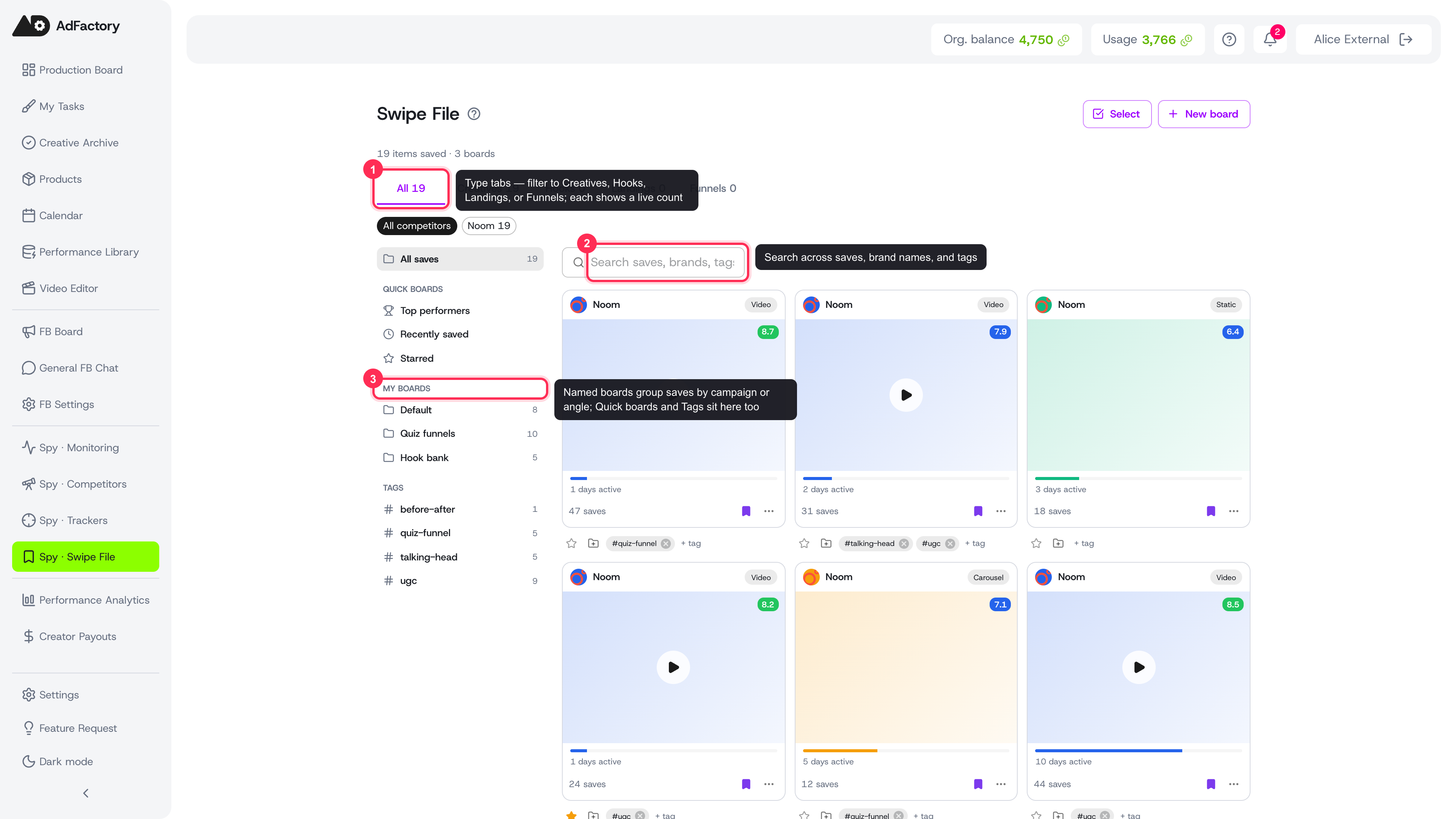 The swipe file with type tabs, search, boards, quick views, and tags labeled
How saves get here
Every save in the swipe file comes from your Spy research. Wherever you see a save action — in the ad library, on a creative's detail page, in competitor hooks, or on landing pages — saving sends the item to your swipe file. A quick save drops it into your default board, or you can pick a specific board on the way in.
Organizing your saves
The swipe file gives you several ways to keep a growing collection navigable:
- Boards — group saves into named boards (for example, by campaign, angle, or product). Create a board with New board, or add one on the fly while moving an item.
- Tags — add short
#tagsto any item and filter by them from the sidebar. - Star — mark standout items so you can jump back to them fast.
- Quick boards — built-in views for Top performers (highest AI score), Recently saved, and Starred.
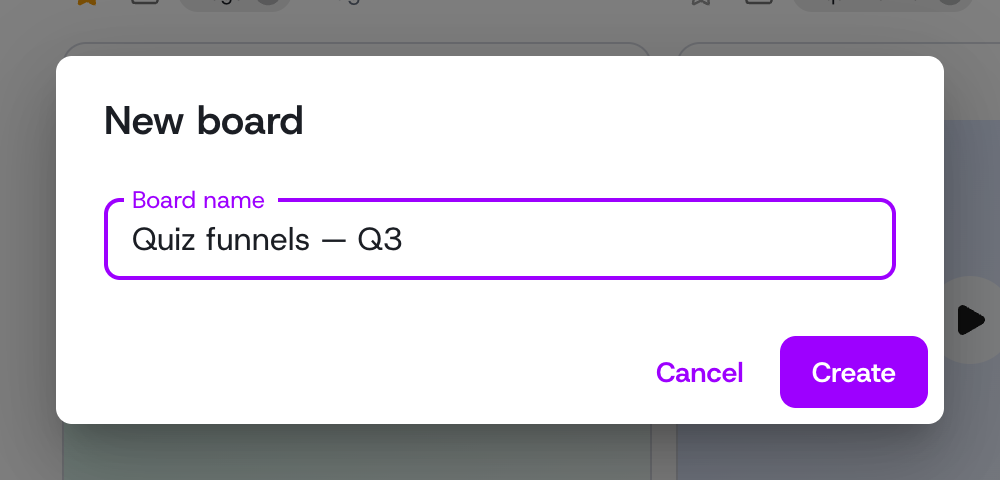 Creating a named board from the New board dialog
Finding the right save
Use the controls at the top to narrow down:
- Type tabs — filter to Creatives, Hooks, Landings, or Funnels, or view All.
- Competitor chips — show only saves from one competitor.
- Search — match across saves, brand names, and tags.
Each filter shows a live count so you always know how much is in view.
Acting on saves
The swipe file is built to feed production, not just to store ideas:
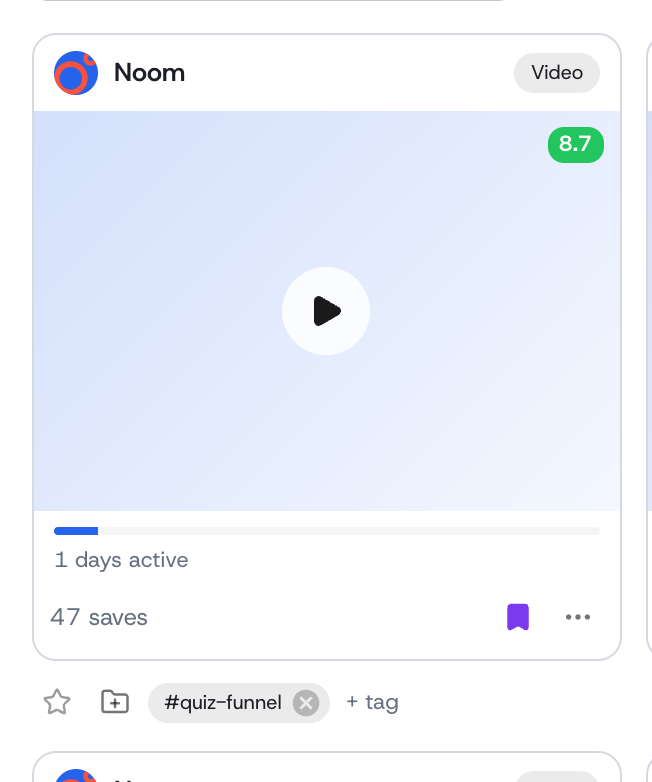 A single save with its AI score, tags, star, board, and card menu actions
- Open any creative to return to its full detail and AI analysis in the ad library.
- Create a task from a single save to turn it into a briefed creative task with the reference attached.
- Bulk-select with the Select button, then act on many at once — group several references into one task, or remove saves you no longer need.
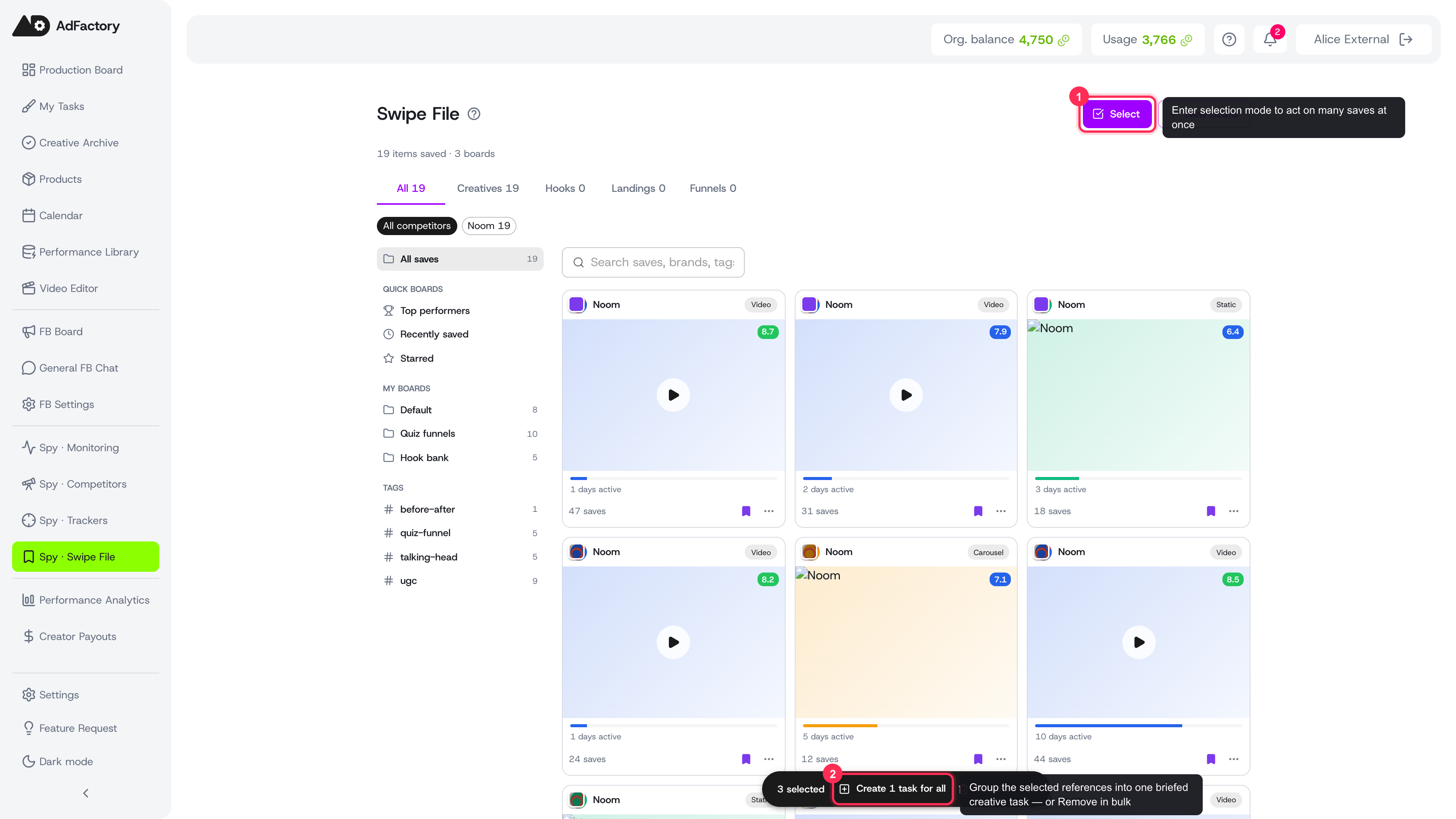 Bulk-selecting three saves and creating one task for all of them
Tips
- Build boards around how you actually brief work — one per angle or campaign keeps references easy to hand off.
- Star a save the moment it impresses you, so the best ideas surface in the Starred quick board later.
- When a board is full of proven references, bulk-select the best and send them straight into a single task for your team to model.