Creating a task
Create a task with a full brief — product, hypothesis, pain point, budget, deadline, creative formats, and hook/audio copy.
Open in appA task is a single unit of creative work — its brief, deadline, team, and the creatives it produces. Creating one well is how you hand your team everything they need to deliver on-target ads. This guide walks through the Create Brief form field by field.
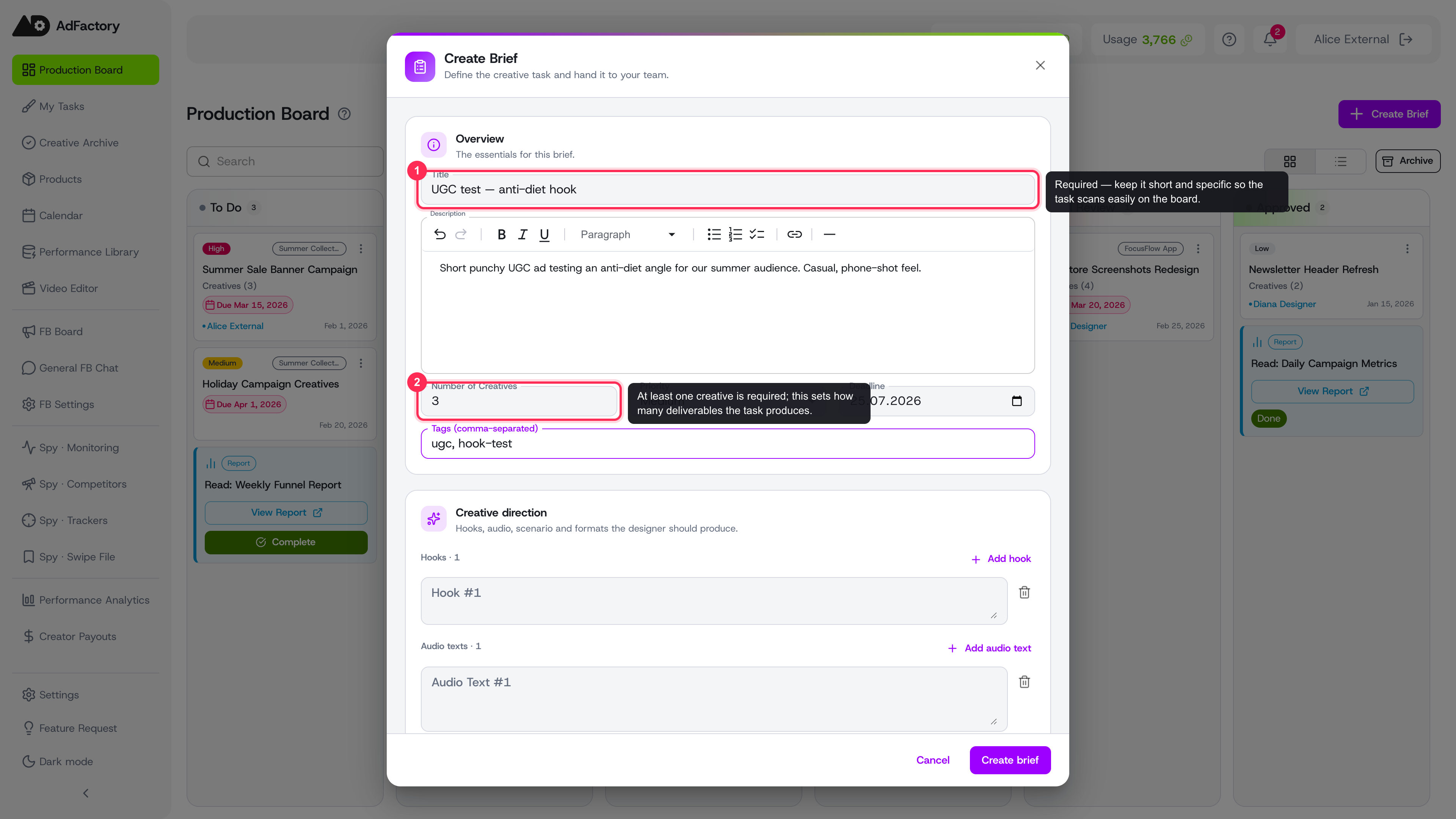 The Create Brief dialog with a filled-in Overview section, only title and number of creatives required
Start a new task
Open the task board and click Create (or New task). The Create Brief dialog opens with everything organized into a few sections. Only a title and at least one creative are required — fill in as much of the rest as you can, because a richer brief produces better results.
Overview
The essentials for the task:
- Title — short and specific, e.g. "UGC test — anti-diet hook."
- Description — free-form context, with rich-text formatting.
- Number of creatives — how many deliverables this task should produce.
- Priority and Deadline — to help the team sequence their work.
- Tags — comma-separated labels for filtering later.
Creative direction
This is where you tell the creator exactly what to make:
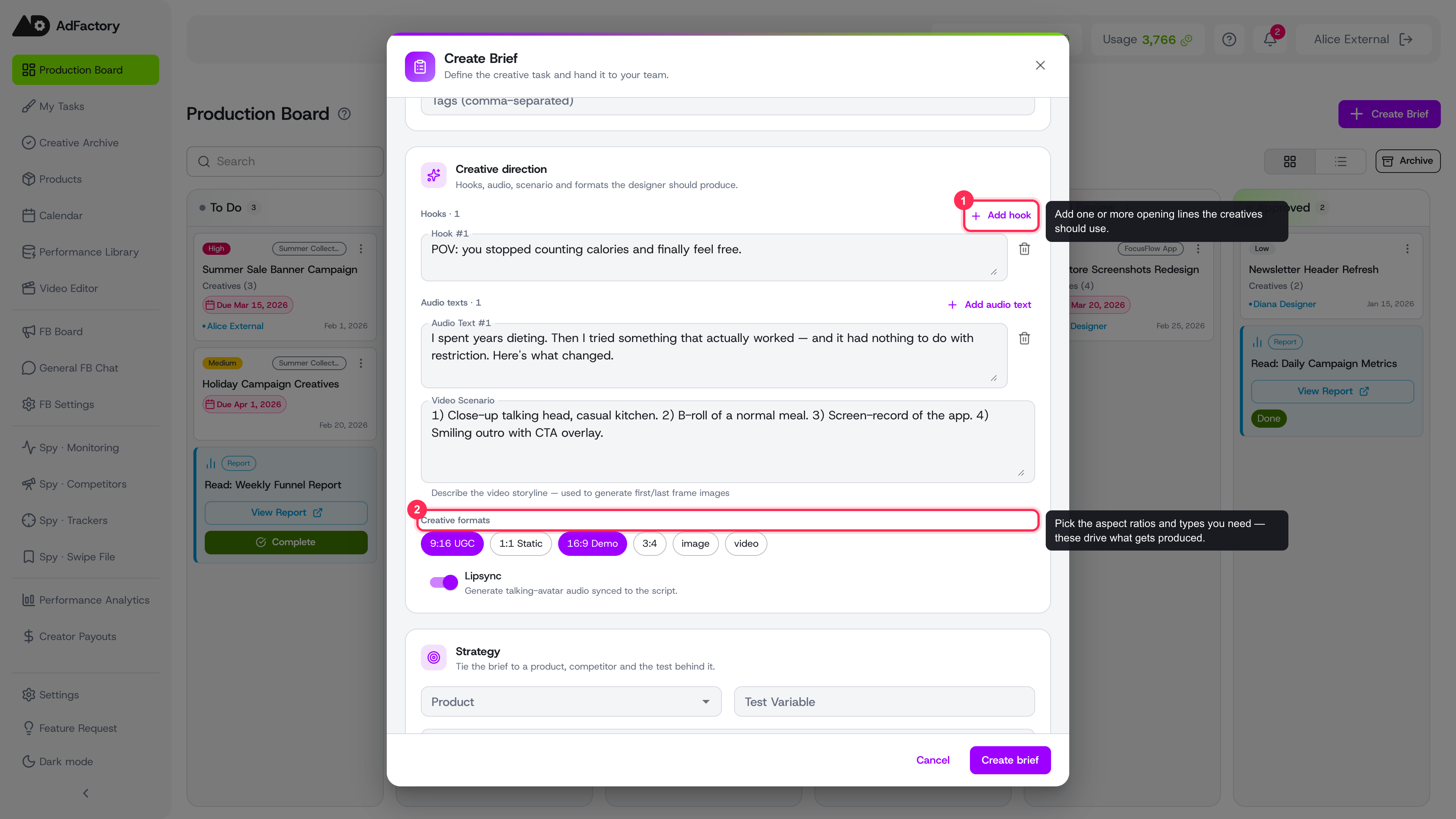 Creative direction filled with a hook, audio script, video scenario and selected formats
- Hooks — add one or more opening lines for the creatives.
- Audio texts — voiceover or script lines.
- Video scenario — describe the storyline shot by shot.
- Creative formats — pick the aspect ratios and types you need. See creative formats for what each one is best for.
- Lipsync — turn on talking-avatar audio synced to the script. Learn more in lipsync.
Strategy
Tie the task to your business context so the AI and the team understand the goal:
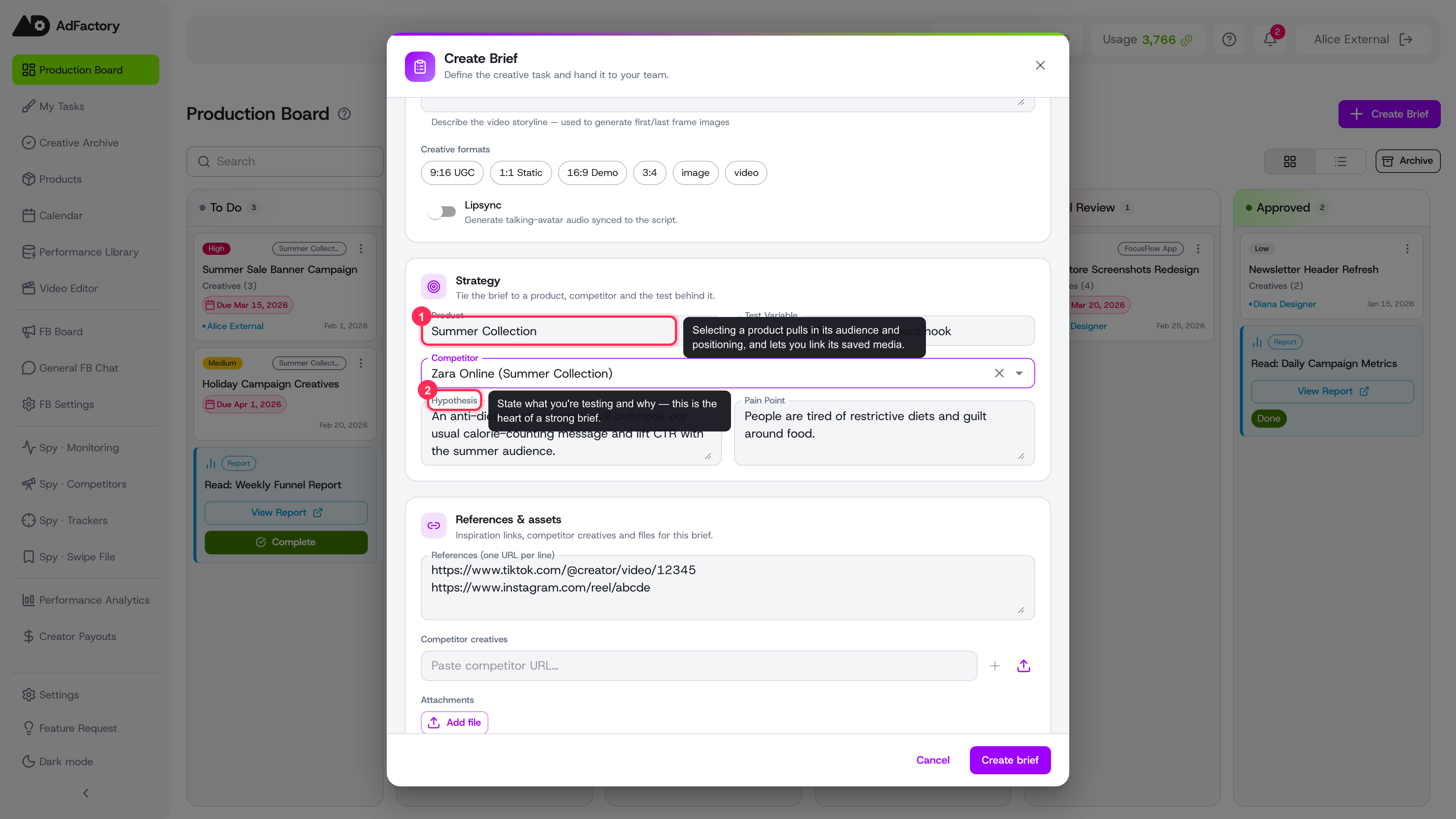 Strategy and References sections tying the task to a product, competitor, hypothesis and reference links
- Product — the thing being advertised. Selecting a product pulls in its audience and positioning, and lets you link its saved media.
- Competitor — attach a competitor you're modeling.
- Test variable, Hypothesis, and Pain point — the heart of a strong brief. State what you're testing and why you think it will work.
References & assets
Give the team something concrete to work from:
- References — one inspiration URL per line.
- Competitor creatives — paste competitor ad URLs or upload a file.
- Attachments — upload supporting files of any type.
- Link media from product and link body clips — reuse assets already in AdFactory, including your body clips library.
Team
Assign who owns the work:
- Creator — builds the creatives.
- Reviewer — checks the result.
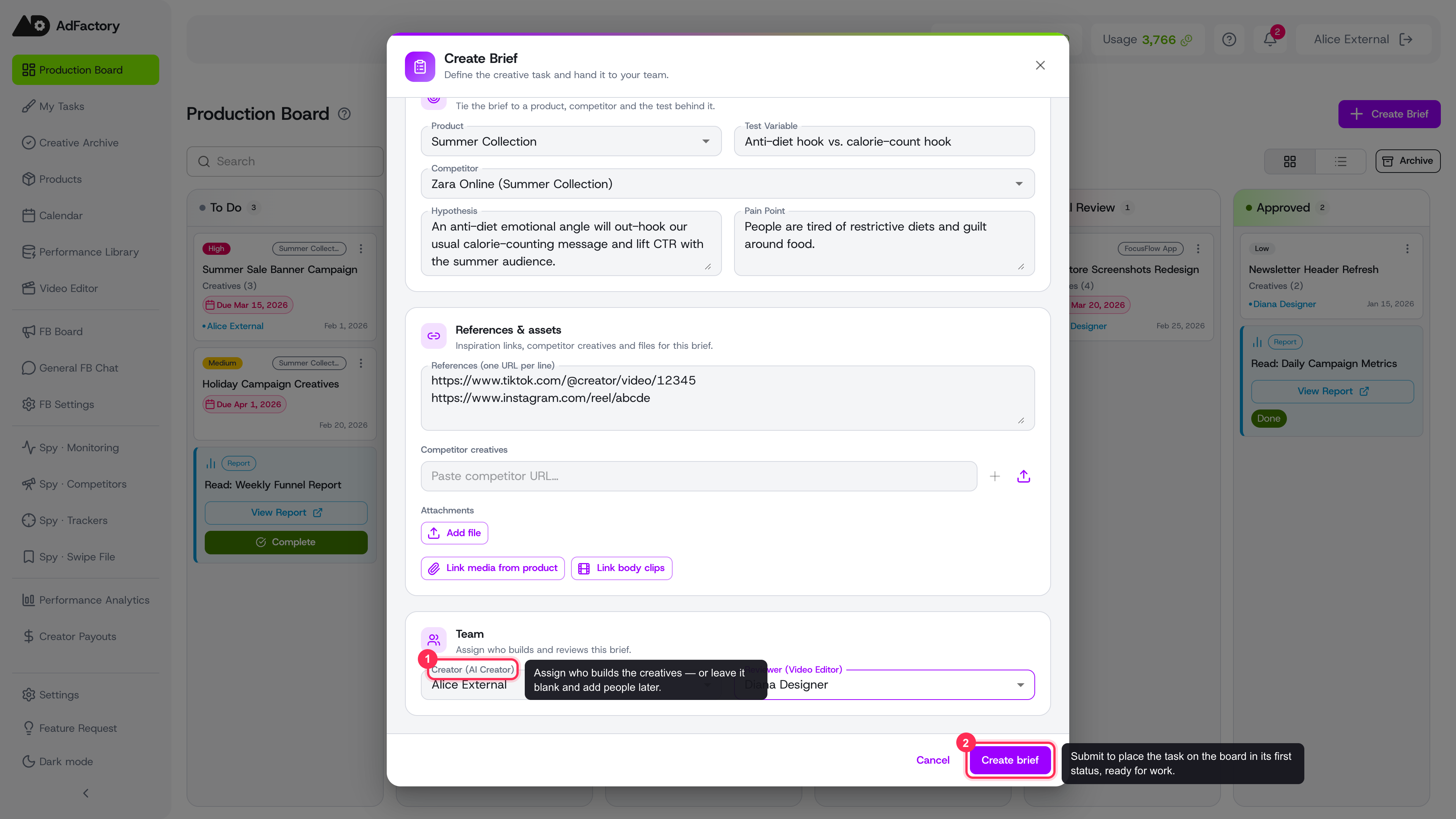 The Team section with a creator and reviewer assigned, and the Create brief button
You can leave these unassigned and add people later. For how roles play out across the workflow, see assigning your team.
Create and continue
Click Create brief. The task lands on the board in its first status and is ready for work. From there, your team builds creatives inside it and moves it through the production flow.