Change requests
Give structured, trackable feedback on a creative so the team knows exactly what to iterate on.
Change requests are how reviewers give structured, trackable feedback on a creative. Instead of scattering notes across chats, each requested change becomes its own tracked item so the team knows exactly what to iterate on before the work moves forward.
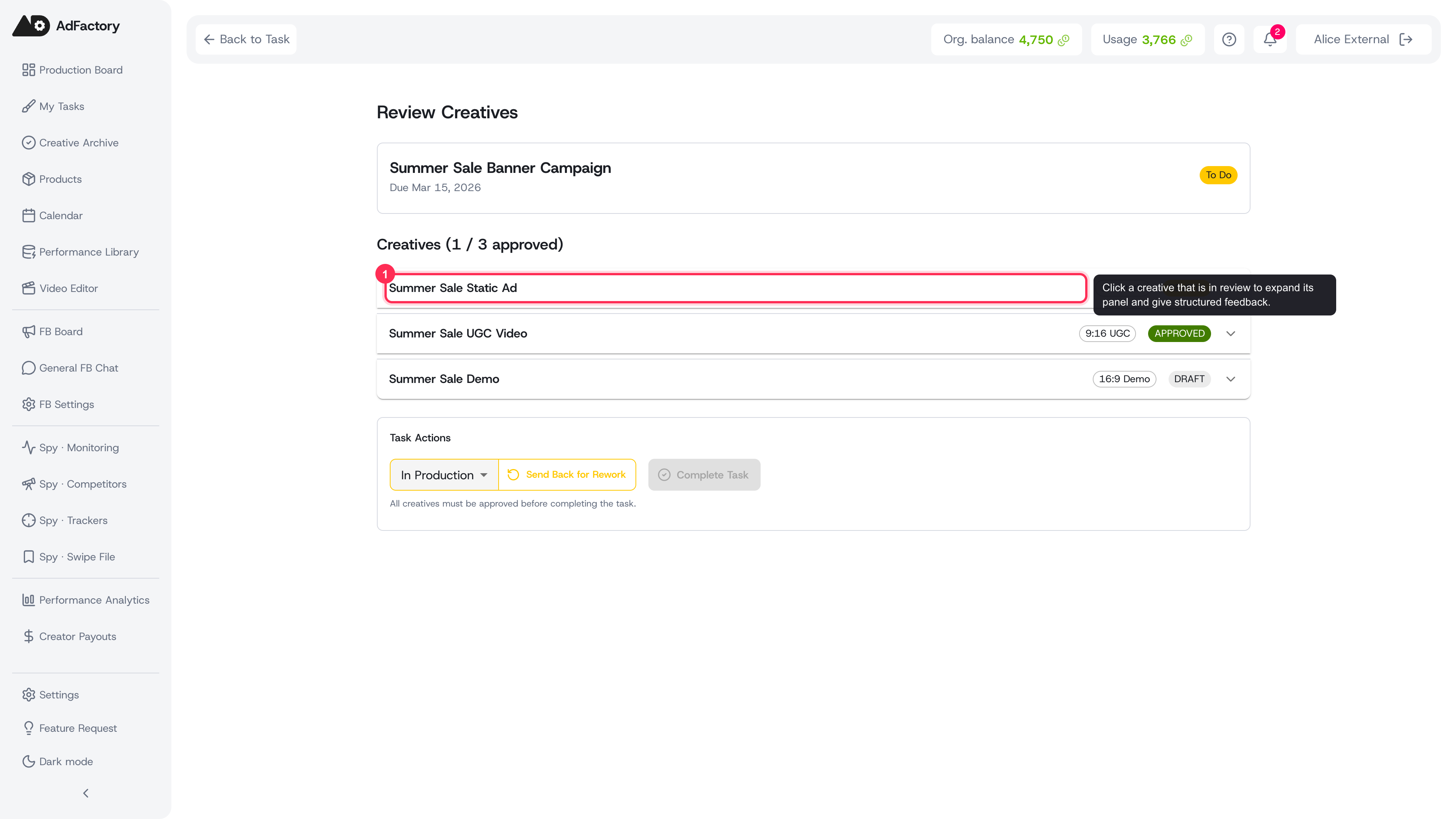 On the review view, expand a creative that is in review to give structured feedback
When change requests happen
When a creative reaches a review stage in the creative review pipeline, a reviewer has three choices: approve it, reject it, or request changes. Choosing Request Changes sends the creative back for another pass without rejecting it outright — the work stays alive, and the feedback travels with it.
Requesting changes moves the creative into a Changes Requested state, signaling to the assignee that there's specific feedback waiting and that the next move is theirs.
Creating a change request
From the review panel on a creative:
- Review the materials in the gallery.
- Click Request Changes.
- Describe what needs to change in clear, specific terms — for example, "trim the intro to 2 seconds" or "swap the background music."
- Submit the request.
Each request is saved as its own item, stamped with the author's name and the time it was created, so there's always a record of who asked for what.
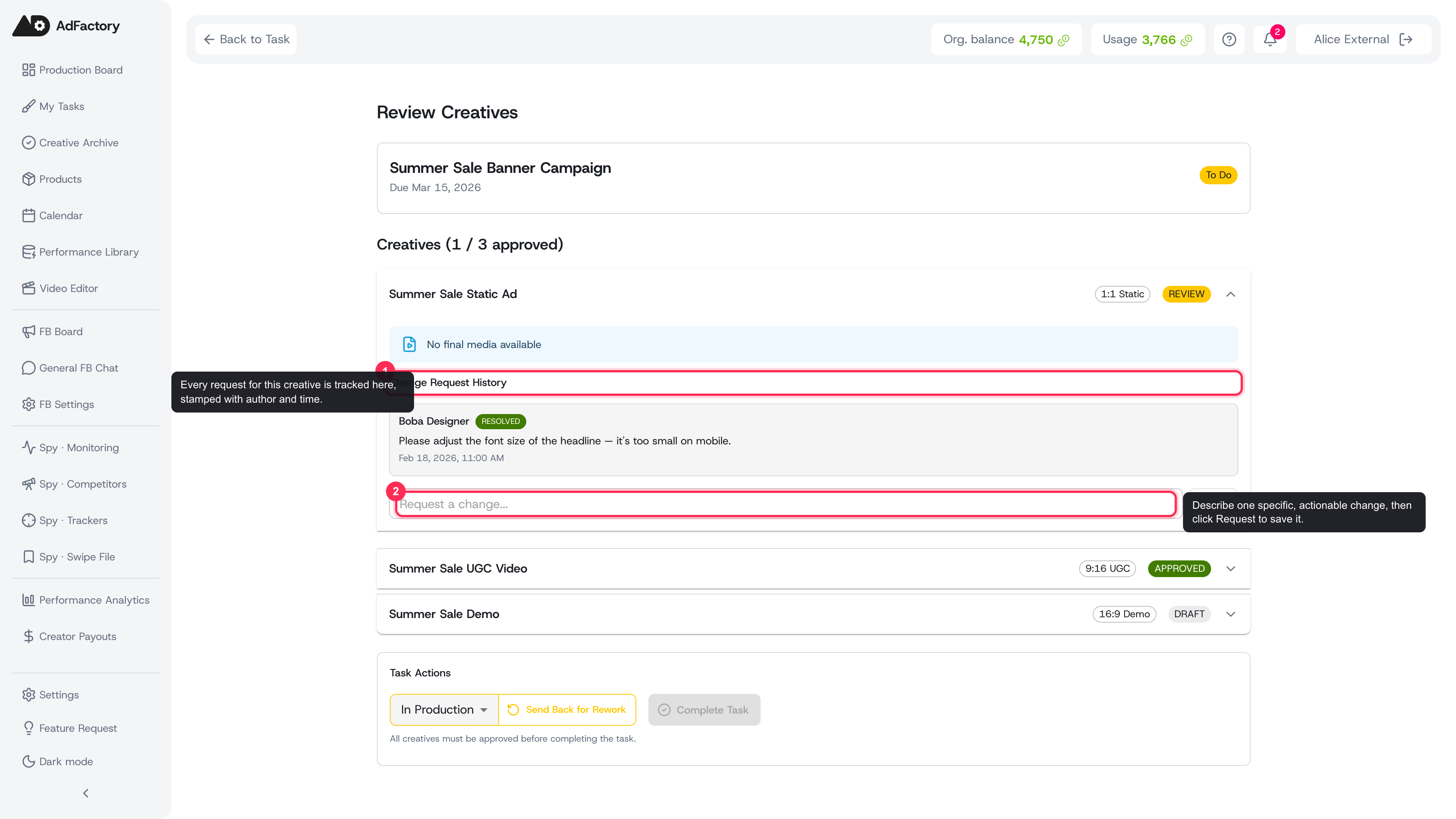 Each change request is filed and tracked on the creative, one specific ask per item
Tips for effective feedback
- Be specific and actionable — describe the change, not just the problem.
- File one request per issue so each can be tracked and resolved on its own.
- Reference the exact moment or material you mean when feedback is about a particular shot or asset.
Working through requests
Each creative shows its list of change requests, each marked Open or Resolved:
- Open requests are still waiting to be addressed.
- Once a request has been handled, anyone can mark it Resolved with a single click, and it's visually set apart from the active items.
This gives the assignee a simple checklist to clear before sending the creative back for another review, and gives the reviewer confidence that nothing was missed.
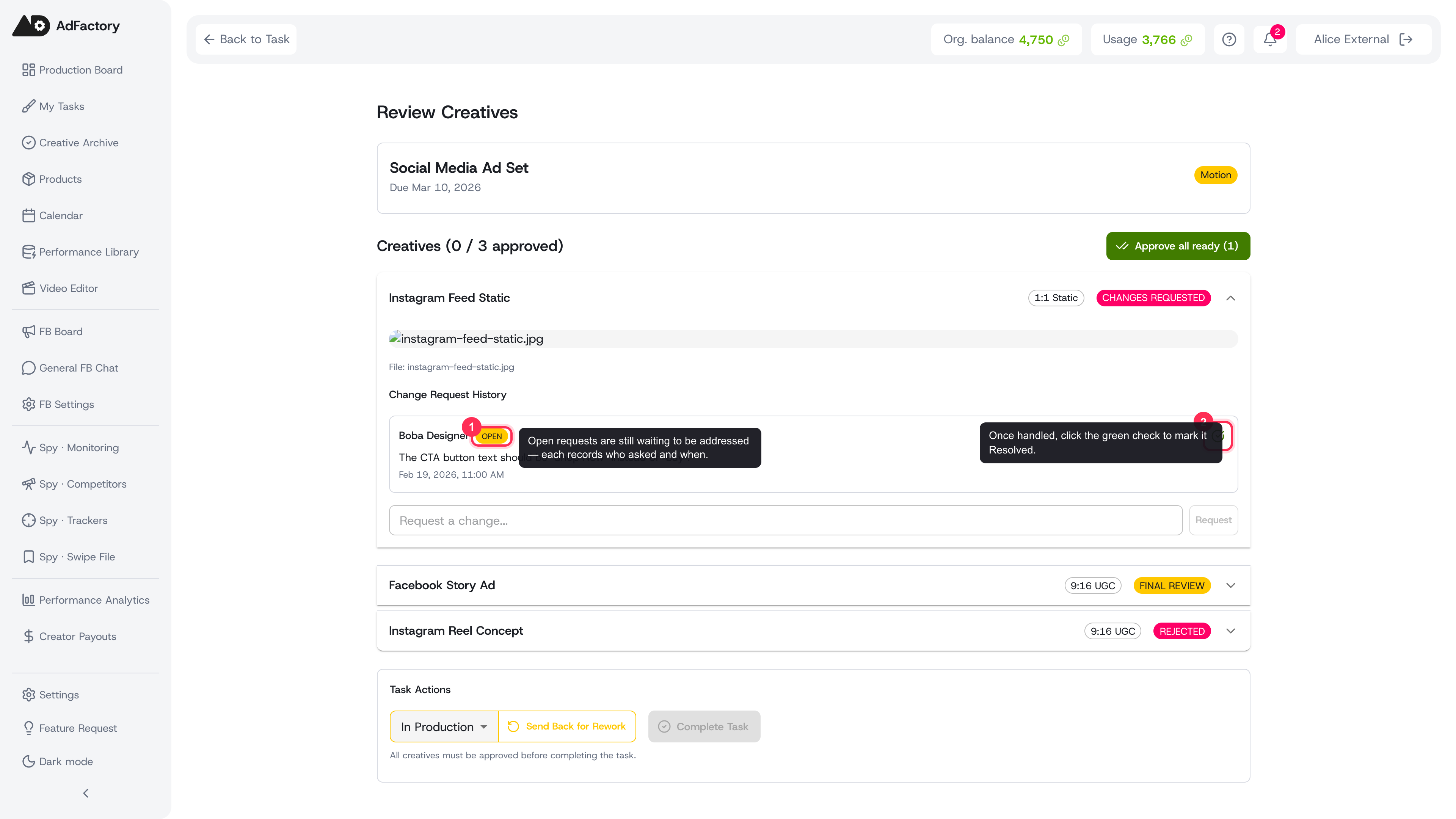 Track each request as Open or Resolved and clear them with a single click
How it differs from comments
Change requests are formal, status-tracked feedback tied to the review decision — they gate whether a creative moves forward. For lighter, ongoing discussion that doesn't block progress, use comments instead. Many teams use both: comments for conversation, change requests for the must-fix list.
After the changes are made
Once the open requests are resolved and the creative is updated, it re-enters the review flow. From there a reviewer can approve it — sending it toward approved creatives — or request another round if needed. This loop continues until everyone is satisfied with the result.