The competitor profile
A hub for everything about a competitor: their ad library, hooks, landing pages, and AI insights.
The competitor profile is the hub for everything AdFactory knows about a single competitor. Once you've added a competitor, open their profile to find their ads, hooks, landing pages, key metrics, and AI insights all in one place.
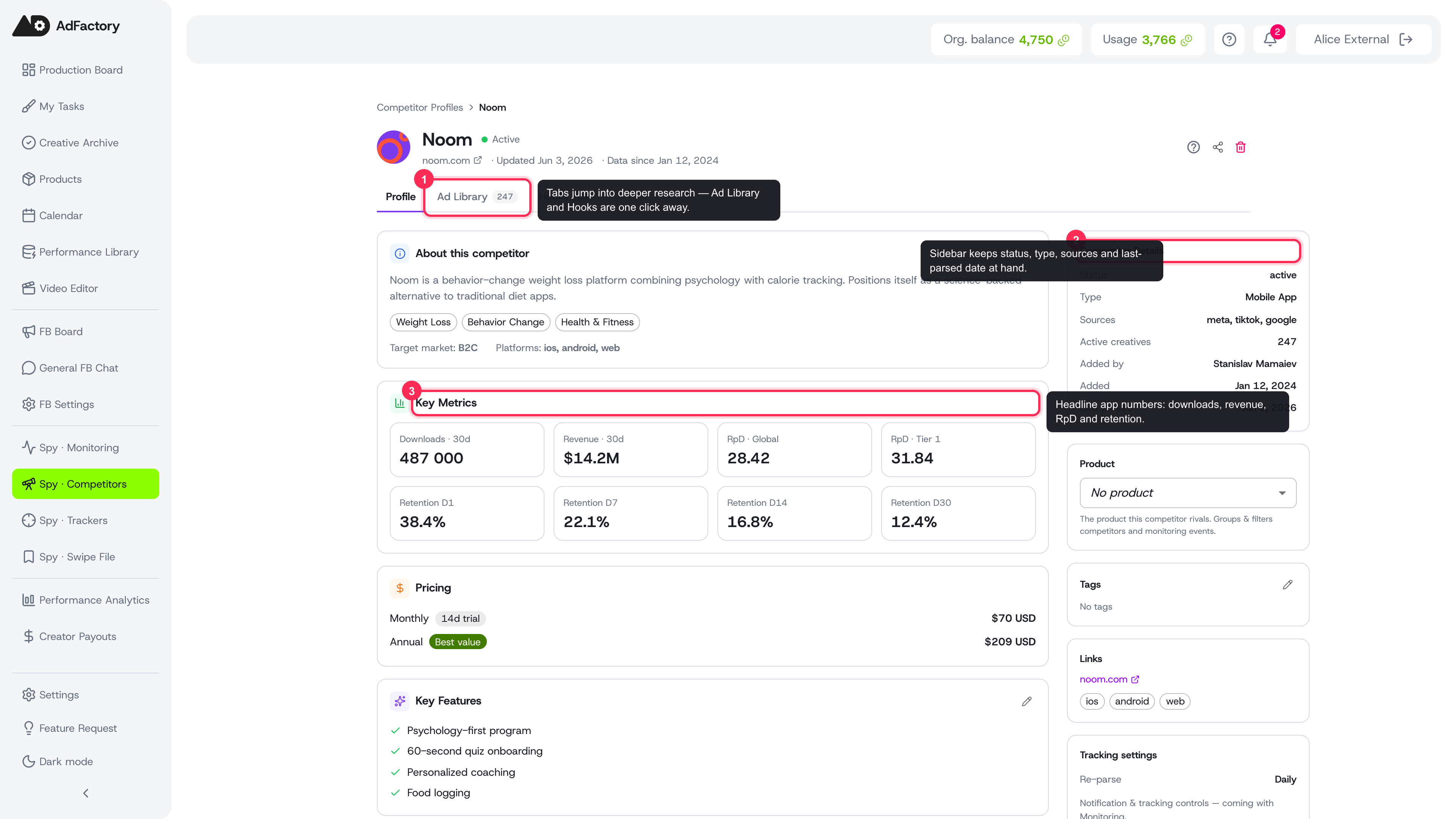 A competitor profile with the summary column, key metrics, and details sidebar in one hub
How to open a profile
From the Spy Agent, open the competitor list and click any competitor. The profile loads as a hub with a header, a main content column, and a details sidebar. From here you can jump to any of their research surfaces.
What's on the profile
The main column gathers an at-a-glance summary of the competitor:
- About this competitor — an AI-written description, product categories, target market, and the platforms they advertise on. You can edit the description yourself; an "edited" tag marks any text you've changed.
- Key metrics — for app advertisers, headline numbers like downloads, revenue, revenue-per-download, and retention over time.
- Pricing — the competitor's plans and prices, with best-value and free-trial badges where they apply.
- Key features — the selling points AdFactory has identified for their product.
- Funnels — any multi-step funnels detected across their landing pages, with step and ad counts.
- Recent creatives — a strip of their newest ads, each showing format and how many days it has been running. Click through to see the full set.
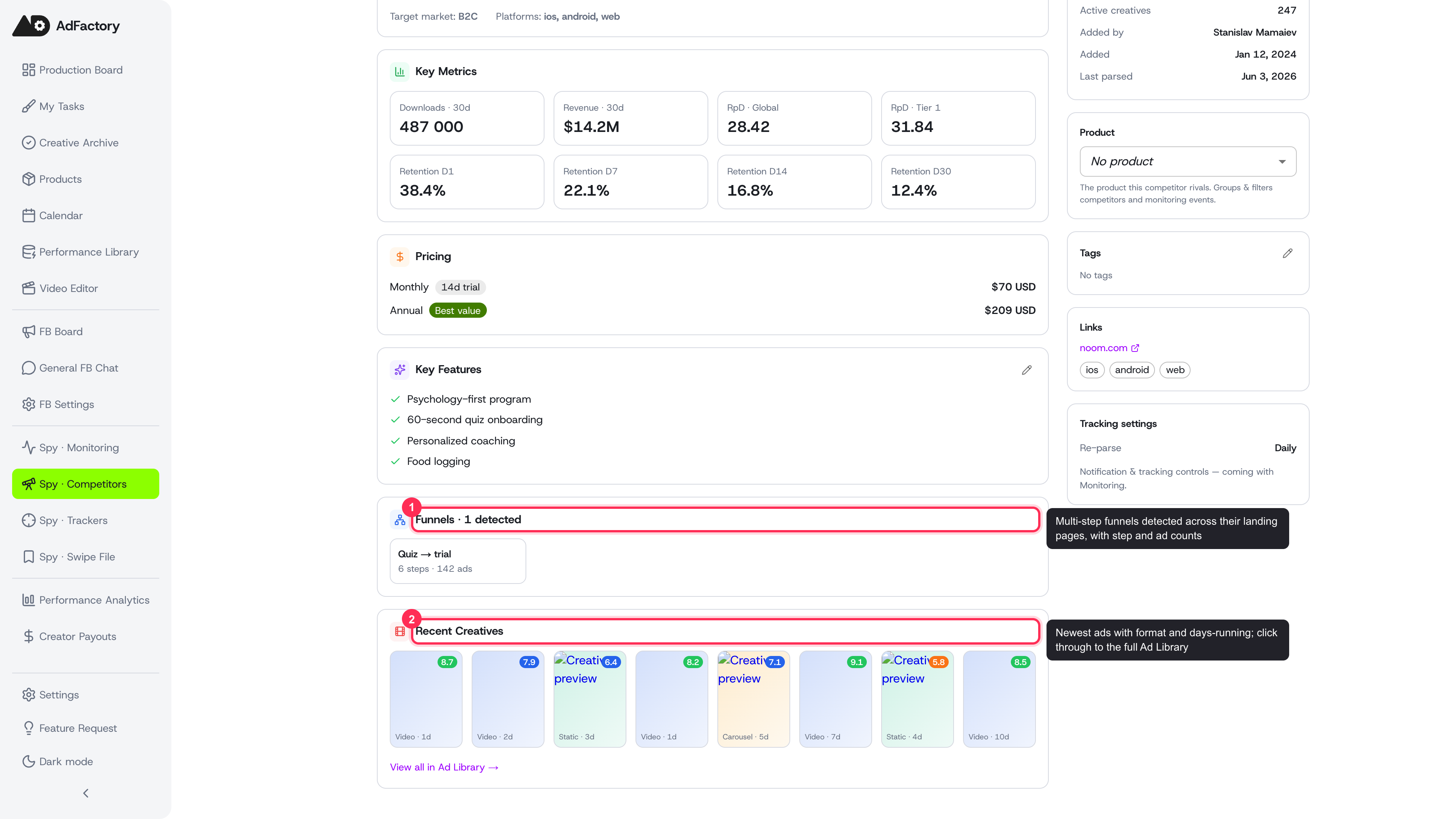 Detected funnels and a strip of the competitor's newest creatives near the bottom of the profile
The details sidebar
The sidebar keeps the practical facts close at hand:
- Competitor details — status, type, traffic sources, active creative count, who added it, and when it was last refreshed.
- Links — a direct link to the competitor's site plus the platforms they run on.
- Tracking settings — how often AdFactory re-checks the competitor for new activity.
Where to go next
The profile is a launchpad into deeper research:
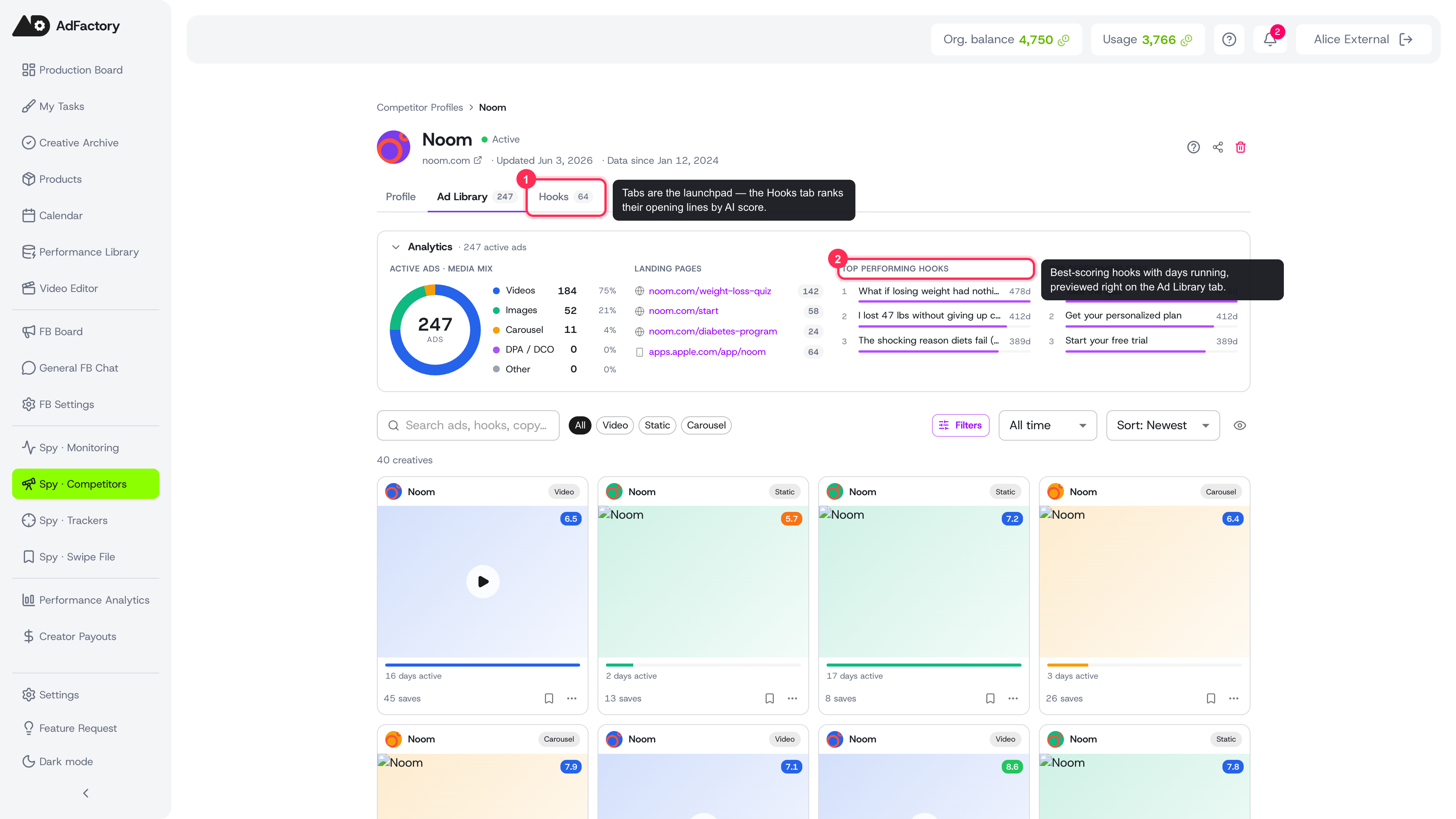 The Ad Library and Hooks tabs open deeper research, each with its own analytics block
- Open the ad library to browse every ad they're running, with an analytics block.
- Open any ad for creative detail and AI analysis, including a transcript.
- Study their hooks — the opening lines that grab attention, ranked by AI score.
- Map their funnels in landing pages, with an AI funnel breakdown.
Turning research into work
When something looks worth modeling, save it to your swipe file or create a task straight from Spy so it lands on your task board with the competitor reference attached.
Tip
The description is a great place to capture your own take — note positioning, weaknesses, or angles you want your team to beat. Your edits stay attached to the profile so the whole team sees the same context.